Restaurant QR codes for reviews, tips and bookings, not menus
Your menu QR is handled. The codes that are not: the review ask when the meal is over, the tip at the counter, the reservation for next time and the deposit for the party in the back room. Each one gets its own tracked code, placed where that moment happens.
Free account, no card. 2 tracked codes and 1 hub on the free plan.

Enjoyed your meal?
Tell other diners on the site you use.
Powered by Scanlo
Reviews: what guests see after scanning
Where the codes go, and what each one does
Reviews when the check arrives
Diners read reviews on Google and Tripadvisor before they pick a place. A review hub puts both on one code, so the guest reviews where they already have an account, and you see which site they choose.
- The check presenter
- The printed receipt
- A sticker on the takeout bag
Tips for counter service and takeout
Counter-service spots, food trucks and the takeout window rarely get the tip a server would. A tip hub at the pickup point lets guests tip with Venmo or Cash App even when they paid online.
- The pickup shelf or window
- The food truck counter
- Takeout bags
The next reservation
Point a code at your reservations page and put it where a guest decides to come back: the receipt, the door, the takeout bag. Compare which one books the tables.
- The front window, for walk-bys after closing
- Receipts and takeout bags
- The host stand, for the wait-list crowd
Catering and private event deposits
A Stripe payment link for the deposit holds the date without a phone call to read out a card number. Put it on the catering menu and the event inquiry sheet.
- The catering menu
- The private dining flyer
- The event inquiry email
What trips restaurants up with QR codes
Scanlo does not host menus. If your table QR is your menu, keep it, and put the review code on the check presenter or the receipt, where the meal is over and the ask makes sense.
Yelp asks businesses not to request reviews at all, so a Yelp button on a review sign works against you there. Google and Tripadvisor allow asking, and Google forbids rewards for reviews and asking only happy guests. Ask everyone, offer nothing for it.
Say on the tip sign who the tips go to. Guests tip more readily when they know it reaches the kitchen and counter, and it saves a conversation with the staff later.
On which plan
Free
2 tracked codes, 1 hub with up to 2 links and 30 days of scan history. Enough for a review hub with Google and Tripadvisor on the check presenter, plus a reservations code and a catering deposit code.
Standard
Up to 20 codes and 10 hubs with up to 10 links each, 90 days of history, which method and which placement wins, and no Scanlo branding. Room for a tip hub for the counter next to the review hub, and one code per table section, bag and receipt so you can see which spot earns the reviews.
Questions
- Can I use Scanlo for my menu?
- No. Scanlo is built for one job per code: reviews, tips, bookings and payments. Keep your menu QR where it is.
- Where should a review code go in a restaurant?
- Where the meal is over: the check presenter, the receipt or the takeout bag. A code on the table at the start of the meal asks before the guest has anything to say.
- Should I include Yelp?
- Yelp asks businesses not to solicit reviews, so we would leave it off. Google and Tripadvisor both allow you to ask.
- Does Scanlo take a cut of tips or deposits?
- No. The buttons open the apps and payment links you already use, and the money goes straight to your account. Scanlo counts the scans and the taps.
- What happens to printed receipts and bags if we stop paying?
- The codes keep working. A printed Scanlo code redirects forever, on any plan. Only editing and deeper analytics are gated.
Prefer one link per code?
Each of these makes a tracked code for a single app or site, for a sign that only needs one.
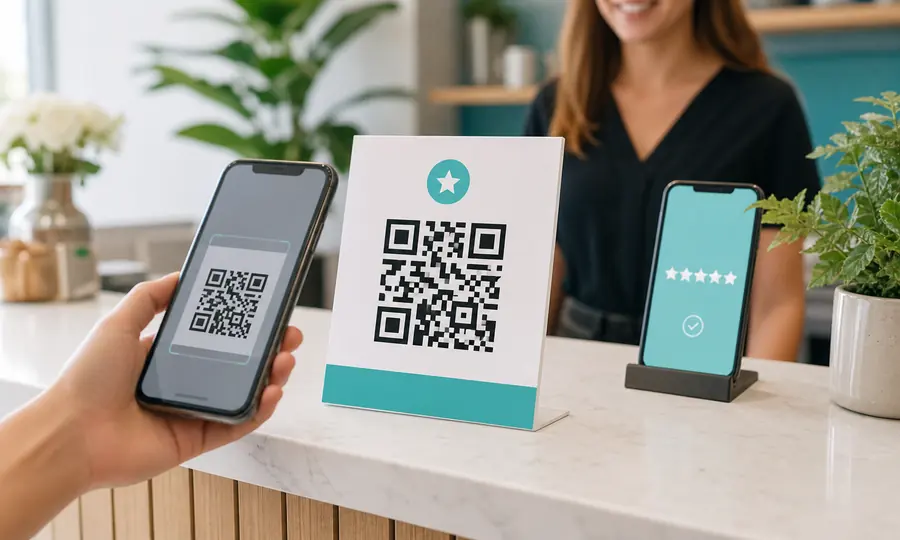
Google review QR code
Send customers straight to your Google review form, and see which placement earns the most reviews.
Create free QR code
PayPal QR code
A scannable PayPal.Me link so customers can pay you in seconds, tracked per placement.
Create free QR code
Venmo QR code
A scannable Venmo link so customers can pay you in seconds, tracked per placement.
Create free QR code
Cash App QR code
Turn your $Cashtag into a scannable code customers can pay on the spot, tracked per placement.
Create free QR codeRead more
Practical guides from the Scanlo blog on making your restaurants work harder.
When to Ask for a Review: Before the Customer Walks Out
Some jobs cost more to bill than they earn. Doing them for free and asking for a review can pay better, as long as the favor is not the price of the review and the ask happens before the customer leaves.
QR Code Tip Jar Sign: What to Print, and Where to Put It
A tip sign that points at one app only works for people who have that app. Here is what to put behind the code, what to write on the card, and how to tell whether the spot you chose is doing anything.
Multiple QR Codes on One Sign? Print One and Track It
The space next to your register is an asset, and most businesses spend it on a single link that pays them nothing. Here is what one code should point at, and how to see which spot earned the scan.
One code on the check presenter, reviews where diners look
Set it up in a few minutes with the links you already have, and let the scans show you which spot in the room earns the reviews.
- No card to start
- Printed codes never stop working
- Edit links without reprinting