QR codes for gymnastics gyms that collect meet fees, reviews and booster funds
Tuition runs through your class software. Meet fees, leotards, privates, camps and the booster club mostly do not, and they end up as cash, a Venmo handle on a whiteboard, or three QR codes taped to the front desk. Put each job on one tracked code where parents already are, and see which ones they use.
Free account, no card. 2 tracked codes and 1 hub on the free plan.

Meet fees, camps and privates
Add your gymnast’s name and what it is for in the note.
Powered by Scanlo
Meet fees: what parents see after scanning
Where the codes go, and what each one does
The payments tuition autopay misses
Meet entry fees, competition leotards and warm-ups, private lessons, open gym drop-ins, camps and Parents’ Night Out. One payment hub lists every app you accept, so a parent scans once and pays the way they already do instead of asking the front desk which handle is current.
- The parent viewing area, where parents sit for the whole class
- The front desk, next to the sign-in tablet
- The meet info packet and the team newsletter
Booster club fundraising
Team fundraisers, meet hosting, travel to invitationals. A donation hub gives the booster club its own code with its own payment links, kept apart from the gym’s, so the treasurer is not reconciling fundraiser money against meet fees.
- The concession table when you host a meet
- Raffle and spirit-wear tables
- The team’s fundraising flyer
Reviews from the parents who stay to watch
New families pick a gym by its Google reviews, and your happiest parents are sitting in the viewing area watching their kid land a new skill. A review code there asks at the right moment, and the scan count tells you whether that wall or the end-of-session email works better.
- The viewing area window or bench
- Skill cards and end-of-session certificates
- Showcase and recital programs
Trial classes and birthday parties
Point a code at the trial class or party booking link in the software you already use. Put it where families who are not enrolled yet see it, then compare which placement brings the sign-ups.
- Flyers at schools, libraries and community boards
- The lobby window, for families waiting on a sibling
- Party favor bags and thank-you cards
What trips gyms up with payment QR codes
The QR code inside the Venmo app is not a profile link. It opens only for parents who already have Venmo, and sends everyone else to the app store with no way to see who to pay. Use your profile link, venmo.com/u/ followed by your username. Scanlo warns you when you paste the app’s code instead.
Venmo, Cash App and PayPal personal accounts are meant for paying friends. For a gym or a booster club, use the business profile each app offers, so you stay within each app’s terms and parents see the gym’s name rather than a coach’s.
Booster club treasurers change every season, and so does the Venmo account the money goes to. A printed static code has to be reprinted when that happens. A Scanlo code keeps its pixels: change the link in the dashboard and every flyer and sign you already put up points at the new account.
On which plan
Free
2 tracked codes, 1 hub with up to 2 links and 30 days of scan history. Enough for a payment hub in the viewing area with your two most used apps, plus a Google review code and a trial class booking code.
Standard
Up to 20 codes and 10 hubs with up to 10 links each, 90 days of history, which method and which placement wins, and no Scanlo branding. Room for a separate hub for the booster club, every payment app parents ask for, and one code per placement so you can see which wall earns the scans.
Questions
- Does this replace our class software?
- No. Enrollment, tuition and autopay stay where they are. Scanlo covers the payments that happen in the building, at meets and through the booster club, where parents reach for their phone instead of a login.
- How do we know which payment is for which gymnast?
- Parents add a note in their payment app, the way they already do for Venmo or Zelle. On the Standard plan the hub page carries your own description, so you can ask for the gymnast’s name and what the payment is for right above the buttons. Scanlo never sees the payment itself.
- Does Scanlo take a cut of meet fees or donations?
- No. The buttons open the payment apps you already use, and the money goes straight from the parent to your account. Scanlo counts the scans and which app parents tap, nothing more.
- Will the code open the parent’s Venmo or PayPal app?
- Yes, for parents who have the app. A tap on a hub button opens it on your payment screen, and we tested that on iPhone in both Safari and Chrome. Parents without that app pick another button on the same page.
- Can the booster club have its own code?
- Yes. A donation hub is a separate code with its own links, so fundraiser money goes to the booster club account and not the gym’s. A second hub is part of the Standard plan.
- What happens to printed codes after meet season, or if we stop paying?
- They keep working. A printed Scanlo code redirects forever, on any plan. Only editing and deeper analytics are gated, so a code in last season’s meet packet still reaches your payment page.
Prefer one link per code?
Each of these makes a tracked code for a single app or site, for a sign that only needs one.
Stripe payment QR code
Turn a Stripe payment link into a scannable code customers can pay on the spot.
Create free QR code
PayPal QR code
A scannable PayPal.Me link so customers can pay you in seconds, tracked per placement.
Create free QR code
Venmo QR code
A scannable Venmo link so customers can pay you in seconds, tracked per placement.
Create free QR code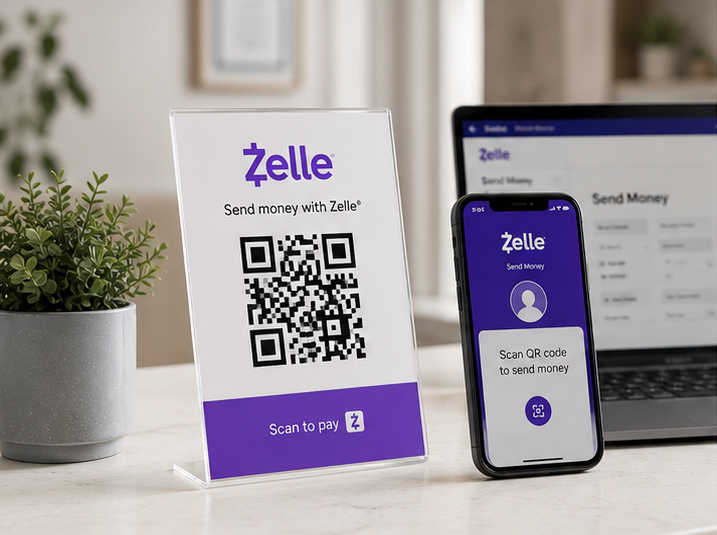
Zelle QR code
Your bank app’s Zelle QR code, turned into a printable one you can track and re-point later.
Create free QR codeRead more
Practical guides from the Scanlo blog on making your gymnastics gyms work harder.
Should Your Small Business Take Venmo, Zelle and Cash App? A Four-Question Test
Most payment articles compare processors. The real decision comes earlier, at the counter, when a customer has no cash and you do not want to lose 3% to a card reader. A four-question test for what to accept and how to show it.
Multiple QR Codes on One Sign? Print One and Track It
The space next to your register is an asset, and most businesses spend it on a single link that pays them nothing. Here is what one code should point at, and how to see which spot earned the scan.
When to Ask for a Review: Before the Customer Walks Out
Some jobs cost more to bill than they earn. Doing them for free and asking for a review can pay better, as long as the favor is not the price of the review and the ask happens before the customer leaves.
One code in the viewing area, every way parents pay
Set it up in a few minutes with the payment links you already have, and let the scans show you which apps your families use.
- No card to start
- Printed codes never stop working
- Edit links without reprinting