
QR Code Tip Jar Sign: What to Print, and Where to Put It
· Updated · Peter @ scanlo
Contents
- What should a tip jar QR code point at?
- Why not just print the QR code from my payment app?
- What should the sign actually say?
- Where should the tip sign go?
- How do you know if the sign is working?
- Can each staff member have their own tip code?
- How to set one up this week
- Frequently Asked Questions
- Bottom line
Quick answer
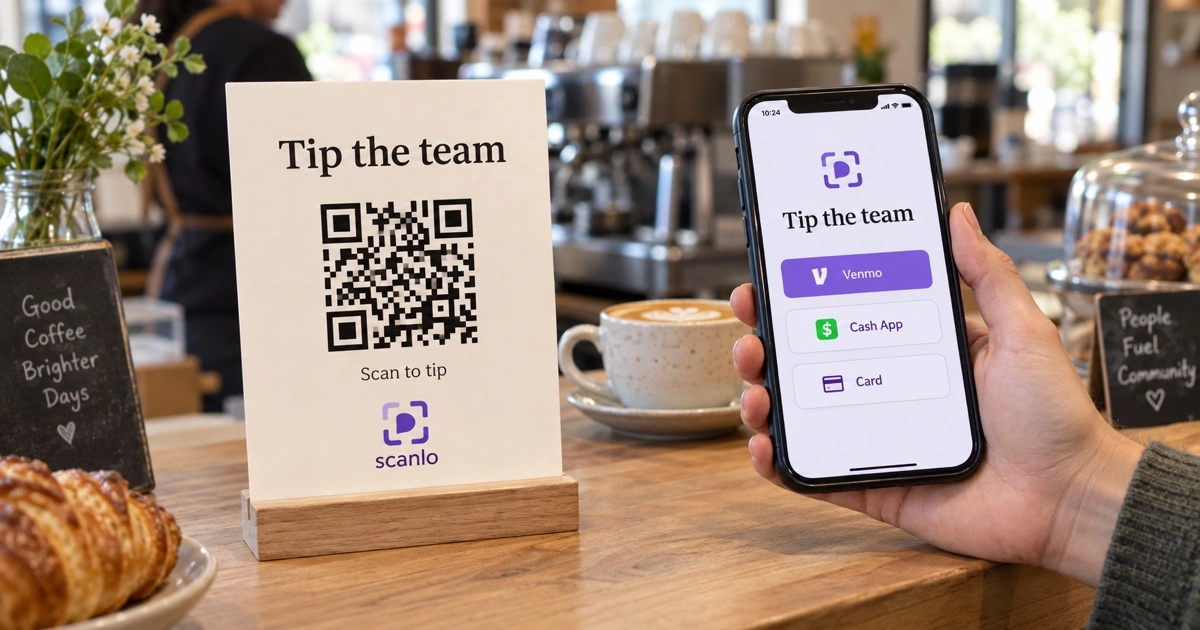
A tip jar QR code sign should point at a page listing every way you take tips, not at one app. Print one code, put it where the customer's hands already are, and say what the tip is for. If the code is tracked, you can also tell whether the spot is working.
The cash tip is mostly gone, and the thing that replaced it is worse than people admit. A paper cup with a handwritten Venmo handle asks the customer to squint, retype a username correctly, guess which of the four accounts with that name is yours, and do all of it while the next person waits. Most of them will not.
A QR code fixes the retyping. It does not, by itself, fix the other three problems, and the way most tip signs are built quietly creates a fourth one: they only work for people who happen to have the right app.
This is about what goes behind the code, what goes on the card, and how you find out whether any of it worked.
What should a tip jar QR code point at?
Not at one payment app. That is the single decision that makes the difference, and almost every tip sign gets it wrong.
Think about who is standing in front of you. Some of them have Venmo. Some have Cash App and not Venmo. Some have neither and would happily tap a card button if one existed. A sign pointing at your Venmo profile converts the first group and silently loses the other two. You never hear about the loss, because a person who opens your Venmo link without having Venmo does not come back to the counter to tell you.
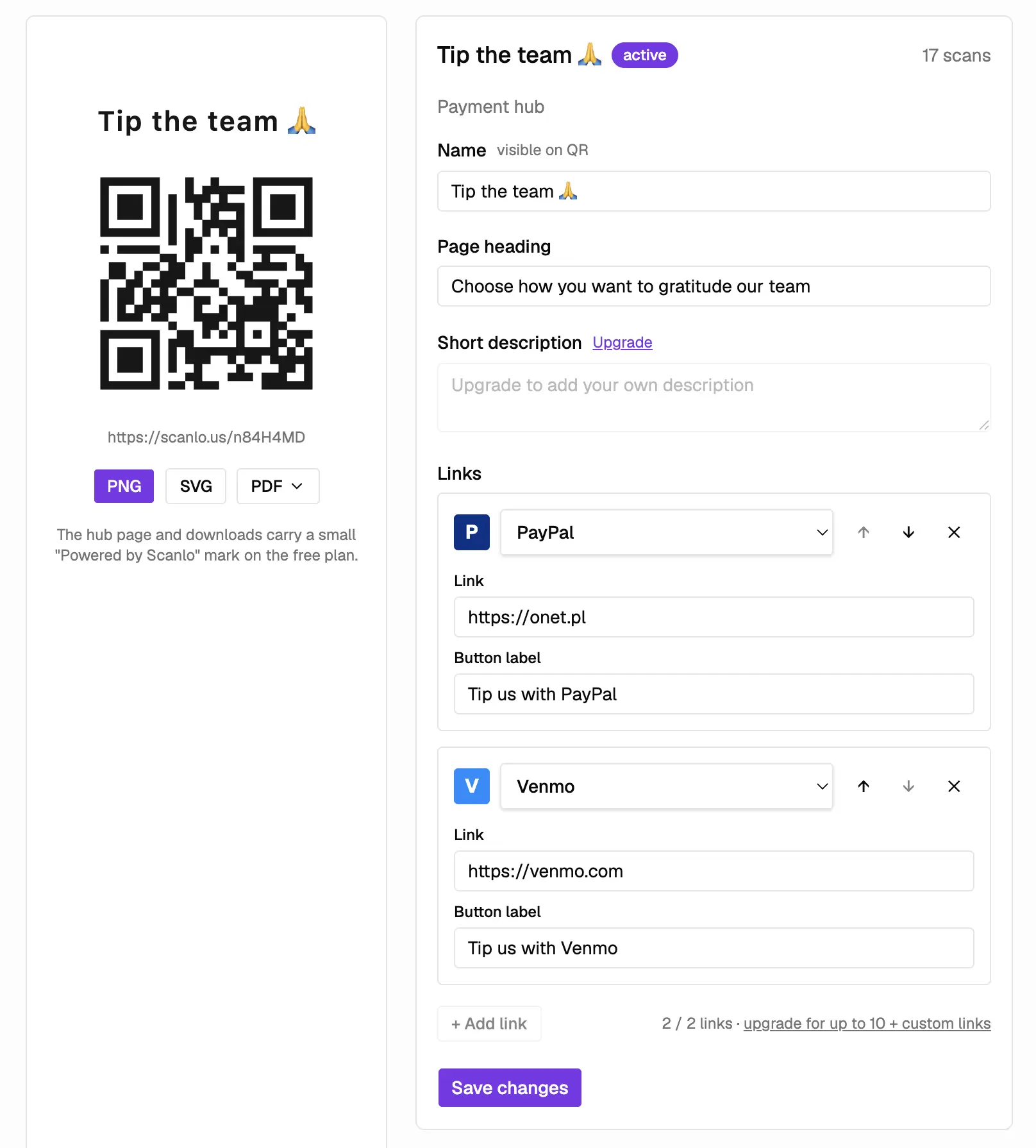
So the code should open a small page that lists your methods as buttons, and let the person tap whichever one is already on their phone. Same single code on the card, several destinations behind it.
That is what a tip hub is, and it is the only part of this that needs a product. Everything else on this page is a decision you can make with a marker and a piece of card stock.
👉 Make one at Scanlo's tip jar QR code generator. Paste the tip links you already use, download one code, and print it. 👈
Which methods are worth putting on it
Two or three. Not six.
The point is coverage of what is already installed, not completeness. In the US, Venmo and Cash App between them cover most phones that tip. PayPal covers the older end and anyone paying from a desktop. A card checkout link, from Square or Stripe, covers everyone else and is the one most tip signs leave out.
Six buttons is a menu, and a menu is a decision. A person holding their phone over a counter with someone waiting behind them will not make a decision. They will put the phone away.
Why not just print the QR code from my payment app?
Because it is static, single-app, and it tells you nothing. Three separate problems, and they compound.
It is frozen at the moment you printed it. Change your Venmo handle, switch from a personal profile to a business one, or decide six months from now that you also want to take card, and the printed code is wrong. A code on a laminated card by a register does not get reprinted often, so in practice it stays wrong.
It serves one app. Covered above, and it is the expensive one.
It cannot tell you whether it is being scanned. Your payment app shows money that arrived. It does not show the scan that opened the page and went nowhere, and it certainly does not show the difference between the card by the register and the one on the pickup counter. This matters more than it sounds, and it gets its own section below.
None of this means the in-app code is bad. It is fine for one person paying another person, which is what it was built for. It is a poor fit for a printed sign that has to work for strangers, for months, without you touching it.
What should the sign actually say?
The code is the easy part. The words next to it decide whether anyone scans.
Name the reason. "Tips appreciated" works. "Tip the team" works better in a place with visible staff. A code with no sentence next to it gets read as a menu, a wifi password, or a survey, and gets ignored.
The same rule carries over to personal asks. A honeymoon fund QR code reads as a gift when the card names the trip, and as a collection when it does not.
Say what happens next. One short line under the code: "Scan to tip by card, Venmo or Cash App." People hesitate at QR codes because they do not know what opens. Telling them removes the hesitation, and it is also the line that tells the Cash App person that there is something here for them.
Do not put a number on it unless you mean it. Suggested amounts lift the average tip and also make some people feel managed. If you use them, a small range reads better than a single figure.
Keep it to one code and one sentence. The temptation on a counter card is to add the review link, the loyalty signup and the Instagram handle. Resist it, or accept that the card now does four things badly. Phone cameras lock onto whichever code is nearest, so a card with four codes sends people to the wrong one. We wrote about that failure mode in detail in multiple QR codes on one sign.
On size: the working rule is that a QR code scans from roughly ten times its own width. A code an inch across wants the phone about ten inches away, which is right for a counter card. A code you want scanned from across a room, or from a stage, has to be much bigger than people expect.
Where should the tip sign go?
Wherever the customer's hands are already busy and their phone is already out. That is a smaller list of places than it sounds.
Next to the register, at the moment of payment. The default, and usually the best, because the phone is already in their hand.
On the pickup counter, for places where ordering and collecting happen in different spots. Frequently beats the register, because the person is no longer mid-transaction and is not holding up a line.
On the check or receipt, for table service. The only placement that gets a private, unhurried moment.
On the case or the stand, for buskers, market stalls and barbers working a chair. Bigger code than you think, because the scanning distance is longer.
On the mirror, for salons and barbershops. The customer spends twenty minutes looking at it.
You will notice these are guesses. Good ones, but guesses. Which is the actual point of the next section.
How do you know if the sign is working?
This is the part nobody does, and it is the only part that turns a tip sign from decoration into something you can improve.
A tip app tells you a tip arrived. It cannot tell you that forty people scanned the card by the register and three scanned the one on the pickup counter, or the reverse. Without that, moving a sign is superstition. You move it, tips feel about the same, and you never learn anything because the thing you changed was never measured.
A tracked code counts every scan, and if you make one code per placement you get a comparison instead of a total.
What this looks like on a real code
These are real numbers from one Scanlo hub, anonymized, covering its first eight days. A shared coffee setup where people are asked to chip in a couple of dollars a cup: one printed code, two buttons behind it.
Scans, bots excluded | 37 |
Taps on a payment method | 23 |
PayPal | 19 |
Cash App | 4 |
Bot traffic stripped from the raw count | 9 of 46 |
Four things in there are worth more than the totals.
Day one is the owner, not customers. It shows more taps than scans, which no real customer produces. Drop it and the window becomes 31 scans and 15 taps, so the honest completion rate is somewhere between 48 and 62 percent. We would quote the lower one.
A fifth of the raw traffic was bots. The count started at 46 events and 9 of them were automated. Any scan total published without saying whether bots are in it is an upper bound, including the one a free dashboard shows you.
Both weekend days are empty. That is the best evidence in the table that the code is somewhere real, being scanned by people who turn up on weekdays, rather than by whoever set it up.
PayPal beat Cash App nineteen to four. Treat that as one account and not a market. The sample is 23 taps, and PayPal sat first in the list, which moves taps on its own. It is still enough to stop you assuming you already know which button your customers want.
What is missing from that table is the placement comparison, and the absence is the lesson. This business printed one code and put it in one place, so there is nothing to compare it against. The comparison only exists if you make a second code for the second spot, which takes about a minute and is the step almost nobody takes.
👉 Scanlo counts scans per code and shows which method got tapped. Create a tracked tip jar code and put a different one on each spot. 👈
Scans are not tips, and the gap is the interesting number
A scan means someone got as far as your page. A tip means they finished. The distance between those two numbers is the most honest feedback a tip sign gives you.
Lots of scans and few tips usually means the page asked for something the person could not give: the app they have is not on it, or the only option was a card checkout that wanted too many fields. Few scans and a decent conversion rate means the sign is in the wrong place, or too small, or says nothing.
Those two problems have opposite fixes, and without scan data they look identical.
Can each staff member have their own tip code?
Yes, and it settles an argument that otherwise has no evidence in it.
Pooled tips work until someone believes they are carrying the room. A code per person turns that into a number, because each code counts its own scans. On Scanlo that means a separate hub per person, which sits on the Standard plan.
Two honest caveats.
Scanlo counts scans, not money. We never touch the payment. If the tips land in individual Venmo accounts, the split is whatever those accounts receive; if they land in a pooled account, we cannot tell you who earned what, only which code was scanned. Scan counts are a good proxy and they are not an accounting system.
And a per-person code only makes sense where the customer knows who they are tipping. A barber in a chair, a stylist, a named server, a musician. At a counter with four people working it, one shared code and an honest pool is the better design.
How to set one up this week
Decide the methods. Two or three, chosen for what your customers already have, not for what you already have. Include a card option if you take card at all.
Collect the links. Your Venmo profile link, your Cash App cashtag link, your PayPal.me, a Square or Stripe checkout link. These are ordinary URLs, which is what makes this work without a new payment processor.
Build one hub and download the code. Paste the links, get one QR code as PNG, SVG or PDF. Use the vector file if the sign is going to a printer.
Write the card. A reason, a line saying what opens, and nothing else competing for the space.
Make a second code for the second spot. This is the step people skip, and it is the one that makes the numbers mean anything.
Check it in two weeks. Compare the placements, look at which method got tapped, and move the sign that is doing nothing.
Frequently Asked Questions
How do I make a QR code for a tip jar?
Put the tip links you already use behind one code. Create a tip hub, paste your Venmo, Cash App, PayPal or card checkout links, and download a single QR code to print. Customers scan once and tap whichever app they already have, so you are not betting the sign on one payment method.
What should a tip jar QR code sign say?
Three things: a reason to tip, one line saying what opens when they scan, and nothing else. "Tips appreciated. Scan to tip by card, Venmo or Cash App" does the whole job. Adding a review code or a loyalty signup to the same card makes all of them scan worse.
Can I put Venmo and Cash App on the same QR code?
Not on a native app code, which points at one account in one app. You can if the code points at a page listing both, which is what a tip hub does. One printed code, both buttons, and the customer picks the one they have.
Do I need a business account to take tips by QR code?
Not for the code itself. Whether you need a business account is a question for each payment app, and their rules differ on tips, volume and taxes. Scanlo does not process the money, so it does not change your answer either way.
How big should a tip QR code be?
A QR code scans from roughly ten times its width. About an inch works for a counter card someone leans over. A code on a guitar case, a market stall or a stage needs to be several inches, because people scan it from much further away than they scan a counter.
Can I change the payment methods after printing the sign?
Yes. The printed code points at a page you control, so you can add a method, drop one, or change a handle without reprinting anything. A printed Scanlo code keeps redirecting forever, on any plan, including if you stop paying.
Can I tell if my tip sign is actually being scanned?
Yes, if the code is tracked. Payment apps show tips that arrived, never scans that went nowhere, so an untracked sign in a bad spot looks the same as no sign at all. A tracked code counts scans, and one code per placement tells you which spot is earning them.
Bottom line
A tip sign fails in two ways, and both are invisible from behind the counter. It points at one app, so the people without that app leave without tipping and you never find out. And it is in whichever spot seemed sensible, forever, because nothing ever measured it.
One code, two or three methods behind it, a sentence that says what opens, and a different code on each spot so the placements can be compared. That is the whole design.
Create a tracked tip jar QR code with Scanlo. Free plan, no card, and the printed code keeps working whatever you do later.