
Multiple QR Codes on One Sign? Print One and Track It
· Updated · Scanlo Team

Contents
- Can you put multiple QR codes on one sign?
- What should the code on your counter actually point at?
- Which spot is actually earning the scans?
- What about the menu, allergens and calories?
- What happens when the promotion ends?
- Four codes, one code, or one tracked code
- How to set one up this week
- Frequently Asked Questions
- Bottom line
Quick answer
You can print several QR codes on one sign, but you should not. Cameras lock onto whichever code is nearest, customers have to read labels before they scan, and no code tells you which one earned anything. Print one code that opens a page listing every option, and track it.
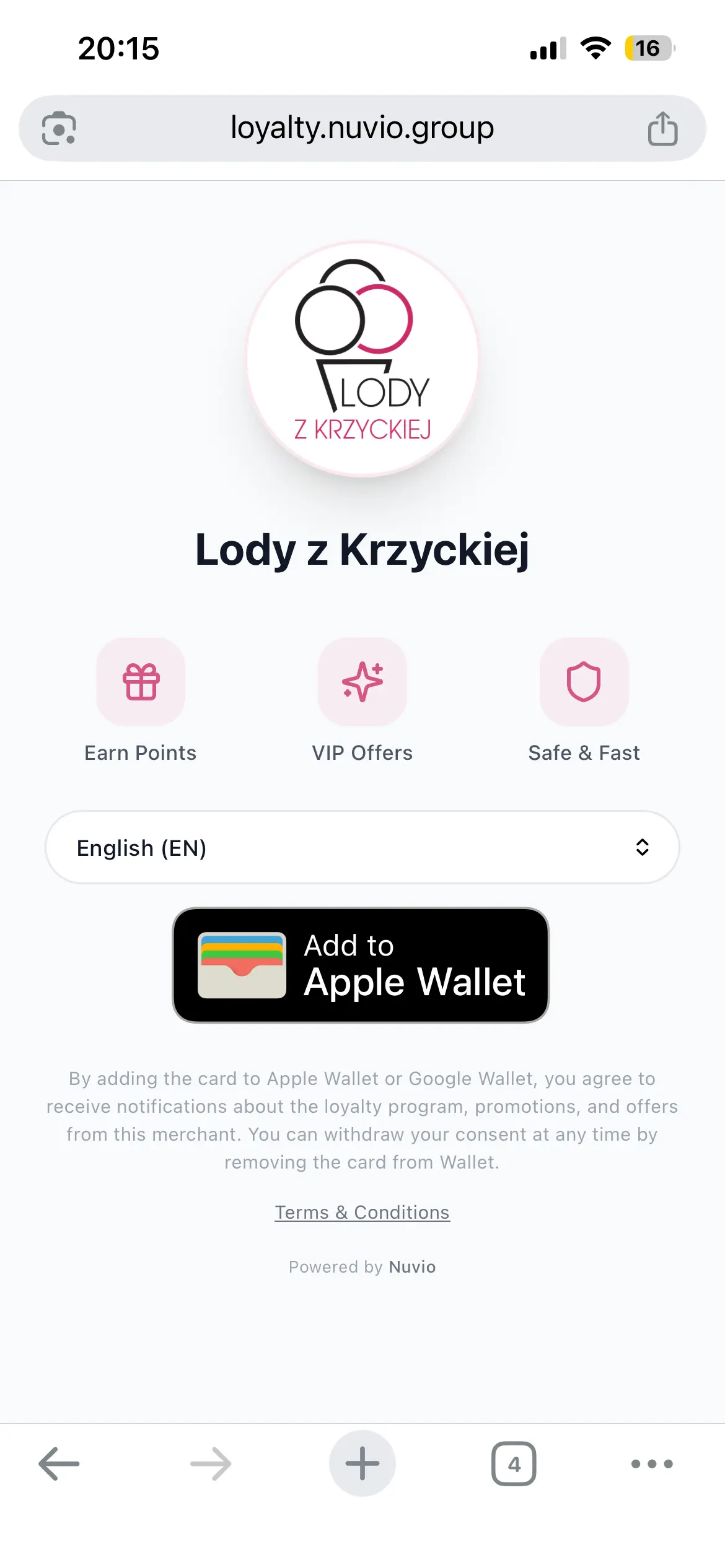
I bought ice cream last week and paid attention to the counter instead of the menu. There was a small acrylic stand next to the register with one QR code on it. Scanning it opened a page from a loyalty product called Nuvio, with one button: add this shop's loyalty card to your Apple or Google Wallet.
It works. It is also the only thing that stand does. The best piece of real estate the business owns, the twelve inches every single customer looks at while their card is in their hand, is spent on one link, for one job, that earns nothing today.
That is the interesting problem, and it is not a loyalty problem. It is a question about an asset. You get one square of attention per customer, at the exact moment they are most willing to act. What should be behind it, and how would you ever know if it worked?
Can you put multiple QR codes on one sign?
Technically yes. Practically, it backfires, for four reasons that stack.
Phone cameras do not ask which one you meant. Point a camera at a card with four codes and it locks onto whichever one is largest in frame, which is usually whichever one is nearest. Your customer wanted to leave a review and just opened your Venmo.
Every code has to get smaller. The working rule of thumb for QR codes is that scanning distance is roughly ten times the width of the code. Split a counter card four ways and each code is a quarter of the size, so a customer has to lean in with their phone almost touching the card. At arm's length across a counter, small codes simply do not fire.
You are asking for a decision before the scan. A sign with four labeled codes asks the customer to read four labels, decide, aim, and scan. A sign with one code asks them to scan. The second one gets used.
And you learn nothing. This is the part that actually costs you. Four printed codes give you four separate things that might have been scanned, and none of them reports back. You cannot tell whether the review code earns more than the tip code, whether the card by the register beats the one on the window, or whether anybody scanned any of them at all.
Weddings hit the same wall: a welcome sign with the Wi-Fi, the playlist, the photo upload and the honeymoon fund sends half the guests to the wrong one.
The fix is not a bigger sign. It is one code that opens a page listing every option, so the choosing happens on a screen the customer is already holding, where a tap is cheap and a mistake is recoverable.
If the code you are placing asks for tips rather than payment, the same argument has a guide of its own: what a tip jar QR code sign should point at, what to write beside it, and the scan and tap numbers from one live hub.
What should the code on your counter actually point at?
Order these by what earns money soonest, not by what is most fun to build. A counter code that does nothing on day one gets taken down in week two.
A way to pay. If you take PayPal, Venmo, Cash App or card, this is the highest-value thing behind the code, and it is the one job where a single destination is usually wrong. Customers arrive with different apps installed. A page that lists each option and lets them tap the one they already have converts better than a code that assumes everybody uses the same wallet. This is what a payment hub does, and it is also the thing your payment apps cannot report on: they show you payments, never scans, and never which method the customer picked over the others.
Tips. A tip prompt on a screen outperforms a jar, and unlike a jar it works for the customer who is not carrying cash, which by now is most of them. Worth its own button on the page rather than its own code on the wall.
A review. Reviews are the one destination with compounding value: every one earns you traffic for years. The catch is timing. A review request works when someone is happy and has ten seconds, which is exactly the moment they are standing at your counter and never the moment they are at home reading an email.
A loyalty program, like the wallet pass on that ice cream stand. This is a genuinely good destination. It is just a poor use of the whole stand, because it only pays off on the customer's second visit, and a first-time customer has nothing to gain by tapping it.
The menu, or today's promotion. Cheap to add, and the one that most justifies being able to change the destination later. A summer flavor board in August should not still be behind that code in November.
A newsletter or SMS list. Lowest immediate return, highest long-term one, and the only destination on this list you actually own. Put it last on the page, not first.
Notice what happened: that is six jobs and zero extra codes. One code, one page, six buttons, and you can reorder them next Tuesday without touching the print.
Which spot is actually earning the scans?
This is the question almost nobody can answer about their own counter, and it is the one that decides whether any of the above was worth doing.
Most businesses end up with the same code in three or four physical places: the card by the register, the window decal, the side of the van or truck, the bottom of a printed invoice, a flyer on a community board. All of them work. Only some of them are worth the reprint.
A tracked code answers this because each placement gets its own code pointing at the same page, labeled by where it went. Same destination, separate counters.
Here's an example of how the comparison looks:
Placement | Scans, 30 days | Share |
|---|---|---|
Counter card | 65 | 58% |
Window decal | 29 | 26% |
Van door | 11 | 10% |
Invoice footer | 7 | 6% |
The pattern worth looking for is not the winner. It is the placement you were sure about that turns out to be dead. Window decals are the usual candidate: they feel like free advertising, and they get scanned by people walking past a closed shop far less often than owners expect.
On the Scanlo free plan, you get scan totals and a daily chart across a 30-day window, which is enough to answer "is this code alive". Comparing placements against each other, along with country, device and referrer, is on Standard.
One split you get on every plan, with no toggle: if you also put the code on your website, scans from the web are counted separately from scans off print. Those are two different audiences and averaging them together hides both.
What about the menu, allergens and calories?
Worth a separate answer, because this is where well-meaning advice goes wrong, and the rules are not the same on both sides of the Atlantic.
Allergen tables behind a QR code are a European habit, not a US requirement. EU rules oblige food businesses to make allergen information available for unpackaged food, which is why so many European counters have a code or a folder for it. There is no equivalent US federal requirement to post an allergen table at the counter.
Calories are the one where a QR code will not save you. Under the FDA's menu labeling rule, covered establishments, broadly chains with 20 or more locations, must declare calories for standard menu items on the menu or menu board itself, next to the name or price of the item. A code that opens a nutrition page does not satisfy that. The additional written nutrition information, the fat and sodium detail, is the part that can live elsewhere and be provided on request.
So the honest version: a QR code is a good place to put the long nutrition detail, the full ingredient list and the allergen matrix, and a bad place to move a calorie declaration that the rule requires on the board. If you are a single-location shop, none of this binds you and it is simply a convenience. If you are a chain, verify against the FDA's menu labeling requirements rather than a blog post, this one included.
What happens when the promotion ends?
Here is the difference that decides whether the counter card survives its first season.
Most QR codes are static: the destination is baked into the pixels. Generate a code for your summer promotion page and those black squares are that URL. When the promotion ends, the code is dead, and the only fix is a new print run. This is also why a code built on a payment link can die without warning: deactivate the link and every card you have already handed out stops working, with nothing on the card to indicate it.
A tracked code encodes its own short URL instead, and that short URL forwards to wherever you point it. The pixels never change, so the destination can. Summer flavors in August, the holiday order form in November, back to the payment page in January, same card on the counter the whole time.
Two specifics worth knowing, because they are the ones people get burned by elsewhere:
A printed code keeps redirecting forever, on any plan. If you downgrade, lapse, or cancel, the redirect and the scan logging keep working. Only editing gets locked. A code you printed and handed to customers is not something a billing event should be able to switch off.
Scanning is cookieless and no raw IP is stored, so there is no consent banner between the customer and the thing they scanned for.
Four codes, one code, or one tracked code
Four static codes | One static code | One tracked code | |
|---|---|---|---|
Customer decides | before scanning, off a printed label | on a screen | on a screen |
Code size on a counter card | quarter size each | full size | full size |
Change a destination later | reprint everything | reprint | edit, print stays |
Add a seventh option | redesign the card | redesign the page | add a button |
Scans counted | no | no | yes, per placement |
Compare counter vs window | no | no | yes |
Survives a lapsed plan | yes, it is just ink | yes | yes, redirect never stops |
The middle column is a real improvement over the left one and costs nothing. The right column is the only one that tells you whether the counter is working.
How to set one up this week
Decide what the page is for on day one. Pick the single destination that earns money now, usually payment or reviews. The other five are additions, not the launch.
Make one code per physical spot, all pointing at the same page, labeled by where it goes: counter, window, van, invoice.
Print the counter one large enough to scan at arm's length. Ten times the code width is the working distance. A code that needs a customer to lean over your register is a code that gets skipped.
Leave it alone for two weeks. Then look at which placement moved and which did not, and reprint only that one.
Change the destination with the season, not the print. The card on the counter should outlive every promotion you put behind it.
If you take more than one payment method, start with the hub: it is the fastest version of this to set up, and it is the one with a number attached at the end of the week.
Frequently Asked Questions
Can I put two QR codes on one business card?
You can, and the same problems apply at a worse size. A business card leaves each code too small to scan at any distance, and a camera will pick whichever one it sees first. One code opening a page with your contact details, your booking link and your payment link is both smaller on the card and more useful.
How many QR codes should be on a counter sign?
One. The number of destinations behind it is where you can be generous. A single code at full size, opening a page with four or five buttons, beats four quarter-size codes that each do one thing and report nothing.
How big does a QR code on a counter need to be?
Use ten times the width as your working scanning distance. A code an inch wide is comfortable at about ten inches, which is a customer leaning in. For a code people scan from across a counter, go bigger than looks necessary on the design, and test it with a phone before you order a print run.
Can I change what my QR code points to after printing it?
Only if it is a dynamic QR code. A static QR encodes the destination in the pixels, so changing the destination means a new code and a new print run. A Scanlo code encodes its own short URL, so you can repoint it as often as you like and the printed card stays valid.
Can I see how many people scanned a printed QR code?
Yes, with a tracked code. Every scan is counted, and if you make a separate code per placement you can see the counter, the window and the van as separate numbers. Free covers totals and a daily chart over 30 days; comparing placements is on Standard.
Do QR code scans need a cookie banner?
Not for Scanlo scans. Scan logging is cookieless and no raw IP address is stored, so there is nothing to ask consent for at the moment of the scan. Whatever page you send people to has its own obligations.
What happens to my printed codes if I stop paying?
They keep working. The redirect and the scan logging continue on any plan, including after a downgrade or a cancellation. Only editing is locked. Nothing you printed and gave to a customer stops working because of a billing change.
Bottom line
The stand next to your register is the only advertising space you own that every single customer looks at, and most businesses spend it on one link that pays them nothing today. The fix is not more codes on the card. It is one code, a page behind it that can hold as many jobs as you want, and a number at the end of the week telling you whether the counter, the window or the van is doing the work.
👉 Create a free payment hub QR code with Scanlo 👈
Related reading: how to create a Square QR code for payments and bookings if you run card checkout, and how to print a Cash App QR code that actually scans for the print side of getting a counter card right.