
Should Your Small Business Take Venmo, Zelle and Cash App? A Four-Question Test
· Peter Bednarek
Contents
- The problem nobody puts in a comparison table
- 1. Project: what is actually on your to-do list
- 2. Unavoidable: when "I'll sort it out one day" stops working
- 3. Look: the five options you actually have
- 4. Lacking: why each option falls short
- The test, applied to three businesses
- Try it on your own business
- Frequently asked questions
Quick answer
Most articles about taking payments compare processors. This one starts a step earlier. For a small service business, the real question is not Stripe or Square. It is what happens when a customer says "I don't have cash, can I Venmo you?" and you have to decide, right there, how many ways to get paid you are willing to manage. Here is a four-question test that tells you whether you need anything beyond a card reader, and if so, what.
The problem nobody puts in a comparison table
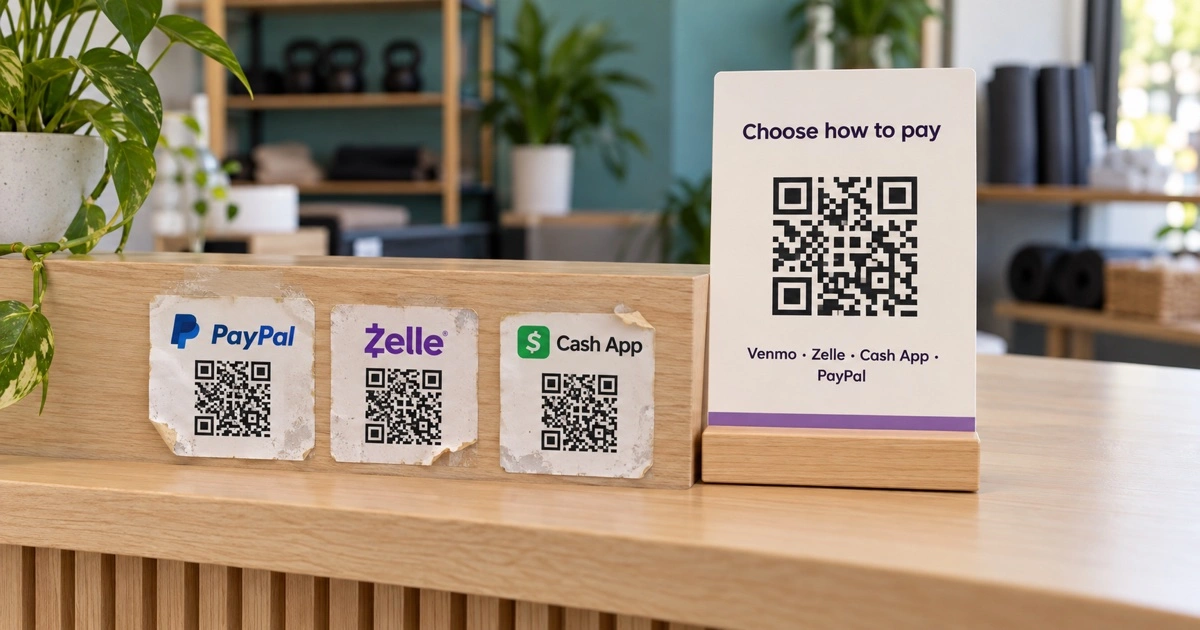
If you run a gym class, a dog grooming van, a tutoring business or a cleaning round, you have probably never sat down and designed a payment system. What you have done is say yes, one customer at a time. Someone asked for Zelle, so you added Zelle. A parent only had PayPal, so you printed a PayPal code. The Cash App sticker went up because a regular kept asking.
That is how most small businesses end up with three or four payment stickers on the front desk, a different set on the website and a third set on the invoice template. It works, mostly. Until it does not.
So rather than tell you which payment app is best, this article runs the decision through a simple test and lets you decide whether you need any tool at all.
The test comes from an unlikely place. Rob Snyder, who writes The Physics of Startups, uses it to explain when buyers go looking for something, an idea he credits to Gorick Ng. He calls it PULL. People buy when four things are true:
Project: there is a job on their to-do list.
Unavoidable: the job cannot be put off right now.
Look: they look at the options for getting it done.
Lacking: those options fall short for some reason that matters.
It was written for founders deciding what to build. It works just as well the other way round, for a business owner deciding whether to change anything. If one of the four is missing, you do not need a new tool, and we would rather you knew that before you signed up.
1. Project: what is actually on your to-do list
Nobody's to-do list says "set up a payment hub". It says something closer to one of these:
"Stop chasing people who forgot their wallet." The customer wants to pay. They just do not have the thing you accept.
"Stop losing 3% of every class fee to the card reader." Card processing is the biggest fee most small service businesses pay that they never chose.
"Make it obvious how to pay, without me explaining it every time." At the front desk, on the website, on the invoice, and on the sign by the door when nobody is at the desk.
"Clean up the mess of stickers." Four codes, two of them out of date, one that never scanned properly in the first place.
If none of these is on your list, stop here. A business where every customer pays by card at a terminal, or pays online when they book, has no Project, and no tool will change that.
2. Unavoidable: when "I'll sort it out one day" stops working
Most owners agree it would be nice to tidy up how they get paid. What makes it unavoidable is the moment the current setup costs real money, and that moment looks different in every business:
The customer who cannot pay. Cash use in the US has been flat at about 14% of consumer payments, behind credit and debit cards (Federal Reserve, 2025 Diary of Consumer Payment Choice). The customer standing in front of you probably has no cash. If they also do not have your one app, the payment becomes "I'll send it later", and later is where payments go to be forgotten.
The fee that compounds. On Square's free plan, an in-person card payment costs 2.6% + 15¢, and an online or invoice payment costs 3.3% + 30¢ (Square fees). On a $150 monthly membership paid by invoice, that is about $5.25 a month per family, every month.
The sticker you cannot fix. You switch from your personal Venmo to a business profile, or change the PayPal account, or drop Cash App. Every code you already put up still points at the old one, and nobody tells you, because a customer who fails to pay just pays some other way, or does not.
The busy hour. Ten parents at the desk after a class, three apps, one person. Whoever has to ask "which code is Zelle?" slows down everyone behind them.
3. Look: the five options you actually have
Once the job is both on the list and unavoidable, these are the realistic options.
Option | What it costs you | Where it works |
|---|---|---|
Cash and card only | The card fee on every payment, and the customer with neither | You already have a card reader and most people tap |
One payment app | The customers who use a different app | Your customers all happen to use the same one |
A sticker per app | Your counter space, and every update means a new sticker | Two methods, rarely changed |
A link-in-bio page you set up yourself | Setup time, and a page that was not built for paying at a desk | You already run one for social media |
One payment hub | A monthly fee if you outgrow the free plan | Several methods, several places customers pay |
Cash and card only
This is a genuine option, and for many businesses it is the right one. A card reader takes everything. The cost is the fee, which never appears as a decision, only as a smaller deposit. Cash avoids the fee but brings its own work: change, counting, the bank run, and the growing number of customers who simply do not carry it.
One payment app
Plenty of owners start here: put the business Zelle or Venmo on a card at the desk and be done. It works, and for some apps it costs less than card or nothing at all. It fails on the customer who does not use that app. Zelle lives inside banking apps, Venmo and Cash App are separate apps, and PayPal is its own account. People tend to use the one their friends use, and your customers' friends are not all the same.
A sticker per app
The natural next step, and where most of the businesses we talk to are today. One code for each app. It works until one of three things happens: the stickers get mixed up and a customer scans Cash App looking for Zelle; you change an account and the old sticker keeps pointing at it; or one of them never scanned properly in the first place. That last one is more common than it sounds. Some in-app QR codes are built to be scanned inside that app, not by a normal phone camera, which we cover in how to print a Cash App QR code that actually scans.
A link-in-bio page
If you are good with tools, you can put all your payment links on a link-in-bio page and make a QR code for it. Nothing wrong with that. It is a page built for an Instagram profile, though, so it mixes payments with everything else, and a plain QR code to it does not tell you whether anyone scanned it at the desk or which app they chose.
One payment hub
A payment hub is one QR code that opens a short page listing every way you accept money. The customer scans once and taps the app they already use: PayPal, Venmo, Cash App, Zelle, or a card link from Stripe or Square. You paste the links you already have, so there is no new processor and the money still goes straight to you. Scanlo never touches it.
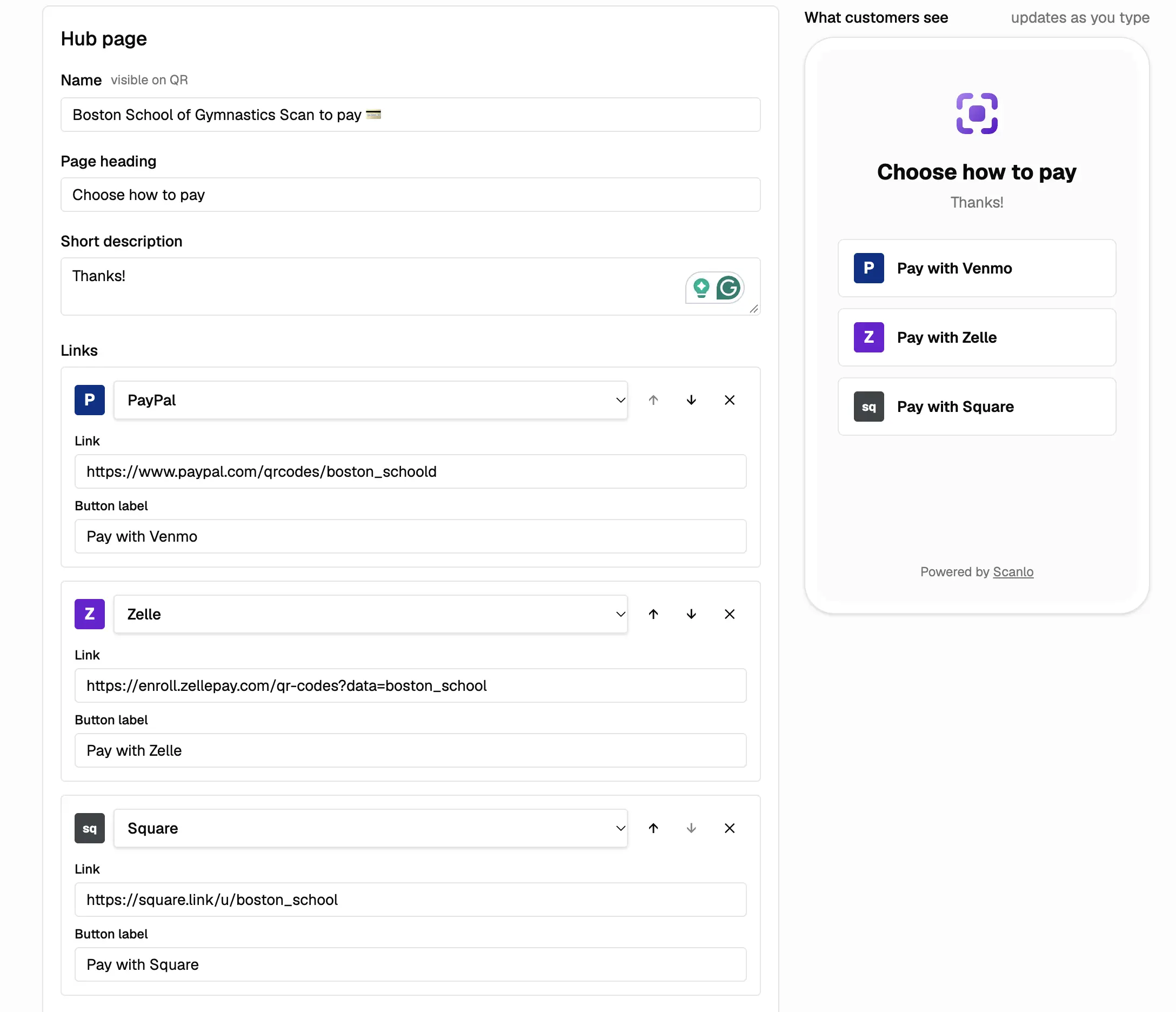
Because the code points at a page you control, you can change the methods, swap a link or move the most popular app to the top without replacing anything you have put up. The same code works on the desk, on the website and on the invoice. We built Scanlo's payment hub for exactly this.
4. Lacking: why each option falls short
This is the question that decides it. Every option above is good enough for somebody. Here is what each one is missing.
Cash and card only lacks a cheap way in. The card reader catches everyone, at 2.6% to 3.3% plus a fixed fee each time. If a large share of your customers would happily pay by Zelle or Venmo, you are paying to process money they would have sent you for less.
One payment app lacks reach. It covers the customers who already use it and quietly turns everyone else into "I'll send it later". You will not see who gave up, because they do not tell you.
A sticker per app lacks a way to change your mind. The day you put it up is the last day you can edit it. Reorder, switch accounts or drop an app, and every sticker on every surface has to be found and replaced. Four codes side by side also ask the customer to pick before they scan, which is the slowest point in the whole payment. We wrote more about that in multiple QR codes on one sign.
A link-in-bio page lacks focus. It was built to show everything you do. At the desk, the customer needs exactly one thing: how to pay you, now.
A payment hub lacks something too, and you should know what. It adds one tap: scan, then choose. It does not process payments, so it cannot tell you who paid or how much. Scanlo counts scans and which method people tap, not the money; for that you still check each app. Personal Venmo, Cash App and PayPal accounts are not meant for business income, so you need the business version of each, and those charge their own fees. Zelle has no purchase protection for the customer, which some people care about. And if nearly everyone pays by card at your terminal already, a hub adds a page nobody needs.
The test, applied to three businesses
Here is the same grid filled in for three kinds of business we see using payment hubs.
Kids' gym or sports class | Mobile pet groomer | Tutor or music teacher | |
|---|---|---|---|
Project | Collect class and membership fees from parents | Get paid at the van door, card reader or not | Get paid per lesson without awkward reminders |
Unavoidable | Ten parents at the desk after class, few with cash | No signal for the card reader, customer has no cash | Every unpaid lesson is an awkward text later |
Look | Card reader, a Zelle sticker, a PayPal link on the website | A card reader, the owner's personal Venmo | Invoices, "just Venmo me" |
Lacking | Three stickers, three places, and they drift apart | The personal account, and the customer who only has Cash App | Each family uses a different app |
If your column has all four rows filled in, you have the case for a payment hub. If one is empty, you have the answer too, and it costs nothing.
One school that runs gymnastics classes for children upgraded to a paid Scanlo plan this month with exactly this setup: one hub, three payment methods, one code at the desk instead of three. That is the whole pattern in one line.
Try it on your own business
The fees above are list prices, and your own mix is what matters. Look at last month's payments and count three things: how many came in by card, how many came in through an app, and how many were "I'll send it later". If the card share is high and your customers already use the apps, there is money in moving some of it. If the "later" pile is big, there is money in making it easy to pay right now.
If the numbers say it is worth trying, Scanlo's free plan includes one payment hub with two methods, with no card required. Create your payment hub, put it on the desk and see which app your customers pick before you spend anything.
Frequently asked questions
Should a small business accept Venmo, Zelle and Cash App?
It is worth it when all four PULL questions come out yes: customers regularly arrive without cash or without the one method you take, the card fees or missed payments cost you money now, the way you show payment options today is messy or out of date, and offering more methods costs less than what you lose. If nearly everyone already pays by card at your terminal, it often is not.
Is it cheaper to take payment apps than credit cards?
Often, but not always free. On Square's free plan, card payments cost 2.6% + 15¢ in person and 3.3% + 30¢ online or by invoice. Business profiles on payment apps charge their own fees, which are usually lower. Zelle does not charge most users to send or receive, but it has no purchase protection. Check each provider's current business pricing before you decide.
Can I put several payment methods on one QR code?
Yes. A payment hub is one QR code that opens a page listing each way to pay. The customer scans once and taps PayPal, Venmo, Cash App, Zelle or a card link. You can change or reorder the methods later without replacing the code.
Does a payment hub take a cut of my payments?
Scanlo does not. The money goes straight from the customer to your PayPal, Venmo, Cash App, Zelle, Stripe or Square account, and each of those charges its own usual fees. Scanlo's free plan includes one hub with two methods. Standard is $18 a month, or $108 a year, for up to 10 hubs with up to 10 methods each.
Can I see which payment method customers choose?
Scanlo counts how many people scan the hub and, on the Standard plan, which method they tap. It does not see payments or amounts, so to confirm who paid you still check each app.