
How to Get a PayPal QR Code for Your Business (2026)
· Updated · Scanlo Team

Contents
Quick answer
You can get a PayPal QR code in a couple of minutes. Open the PayPal app and tap the QR code option to show your code for in-person payments, or create a free PayPal.me link and turn it into a QR with any generator. For a code you can edit and track after it is printed, point a redirect tool like Scanlo at your PayPal link instead.
There is more than one way to get a PayPal QR code, and the right one depends on what you are doing with it. Taking a quick payment across a counter is different from printing a code on 500 flyers you cannot easily reprint. This guide walks through the three main methods, step by step, and helps you pick the one that fits.
What is a PayPal QR code?
A PayPal QR code is a QR code that opens your PayPal payment page when someone scans it with their phone. They point their camera at the code, the PayPal payment screen opens, and they pay. It removes the need to type a username, a link, or a card number at the counter.
There are two underlying flavors. One is the native code PayPal generates inside its own app for in-person payments. The other is a QR code that points at your PayPal.Me link, which you can create with any generator. They look identical to the person scanning; the difference is how you make them and what you can do with them afterward.
How to get a PayPal QR code from the app
This is the fastest route for in-person payments, and it is native to PayPal.
Open the PayPal app on your phone and sign in.
Look for the QR code option. We found it in the Get Paid -> Request Money -> QR Icon (at the top right corner). The exact wording changes between app versions.
Choose to show your own code (the option to receive a payment, not to scan someone else's). It's called Seller QR Code.
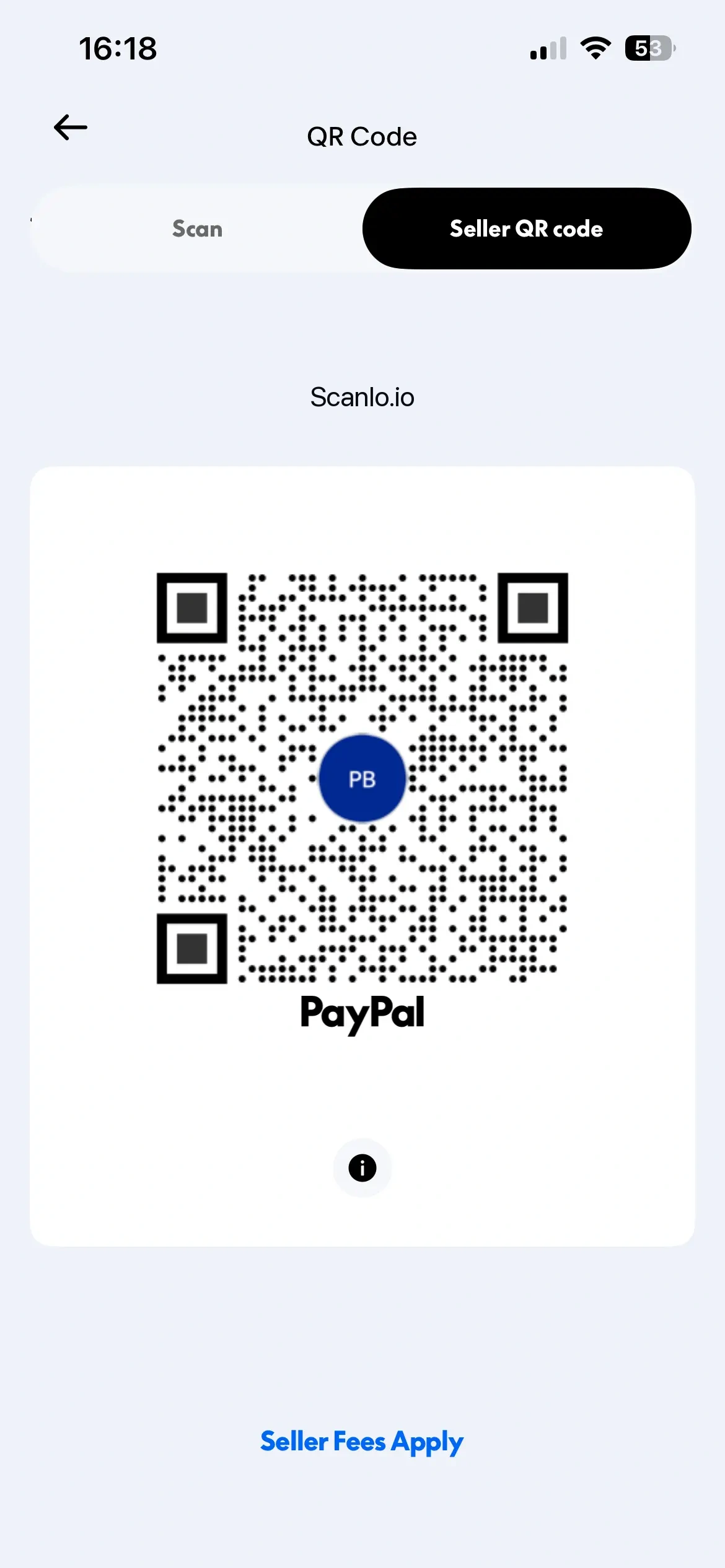
Let the customer scan it, or save and share the image so you can print it.
This works well when you are face-to-face and want PayPal to handle everything natively. Standard PayPal goods-and-services fees apply to business payments, so confirm the current rate for your market.
How to turn a PayPal.Me link into a QR code
If you want a code you can print and reuse, the PayPal.Me route is simple and free.
Go to paypal.me and create your link, for example paypal.me/yourbusiness. It is free and tied to your PayPal account. It should also be available in your PayPal profile.
Copy the link.
Paste it into any QR code generator and download the image as a PNG or SVG.
Print it, or drop it into your flyer, invoice, or poster.
This gives you a static code: the PayPal.Me link is baked into the image. It works forever, but it cannot be changed once printed, and you will not know how many people scanned it. For a one-off code you do not expect to change, that is perfectly fine.
See our full guide on the differences between PayPal.Me and PayPal QR Code
How to make a trackable PayPal QR code
If the code will live on something you cannot easily reprint, or you want to know whether it is working, make it dynamic. Instead of baking the PayPal link into the image, you point the QR at a redirect you control, which forwards every scan to PayPal and logs it.
Copy your PayPal.Me link.
Create a free Scanlo account and paste it as the destination.
Download the QR code as a PNG, SVG or PDF and print it.
Add a second code for another placement, then compare the scans after a week.
Because the printed code points at a redirect rather than the raw PayPal link, you can change where it goes later without reprinting anything, and you can see your scans. If you want the detail on what that tracking shows, see can you track PayPal QR code payments.
Which method should you use?
Match the method to the job:
The PayPal app is best for quick, face-to-face payments where you just need to show a code and move on.
A PayPal.Me link plus a generator is best for a free, static code you want to print once and never change.
A trackable code (Scanlo) is best when the code is printed at scale, needs to stay editable, or you want to measure which placement works.
If you are weighing the tools rather than the methods, we compared the options in the best QR code generators for PayPal.
Tips for printing and placing your PayPal QR code
A QR code only helps if people can actually scan it. A few practical points:
Make it big enough. Aim for at least about 0.8 inches (2 cm) wide for close-up scanning, and larger for codes people scan from a distance, like a poster.
Keep strong contrast and a quiet zone. Dark code on a light background, with empty margin around it. Avoid busy backgrounds behind the code.
Test before you print a batch. Scan the final printed version with a couple of different phones to confirm it opens your PayPal page.
Add a short instruction. A line like "Scan to pay with PayPal" tells people what the code does and lifts scans.
Put it where people pay. The counter, the invoice, the table, or next to the product. The right spot does more than the code design.
Frequently Asked Questions
Is a PayPal QR code free?
Yes, creating one is free. PayPal does not charge to generate a QR code, whether from the app or from a PayPal.Me link, and free generators add no cost. PayPal's standard goods-and-services fee still applies to the payment itself, so check the current rate for your market.
Can I create a PayPal QR code without the app?
Yes. Create a PayPal.Me link at paypal.me, then paste it into any QR code generator and download the image. You do not need the PayPal app for this method, which is useful when you want a code to print rather than show on a phone.
How do I get a PayPal QR code for my business?
Use a PayPal account that can receive business payments, then either show your code from the PayPal app for in-person payments or turn your PayPal.Me link into a printable QR code. If you want to track scans or edit the code later, point a redirect tool at your PayPal link instead of baking it into a static image.
Can I edit a PayPal QR code after I print it?
Only if it is a dynamic code. A static code, from the app or a basic generator, locks the link into the image, so a printed copy cannot be changed. A dynamic code points at a redirect you control, so you can update the destination and keep using the same printed code.
Do I need a PayPal Business account?
You can receive payments with a personal account through PayPal.Me, but a business account is generally the right setup for taking customer payments, with the appropriate goods-and-services handling. Check PayPal's current account options for your country before printing codes for ongoing use.
Bottom line
Getting a PayPal QR code is quick: show one from the app, or turn a PayPal.Me link into a printable code with any generator. The only real decision is whether you want it static or editable. If the code is going on something you will print at scale, or you want to see whether it is working, make a trackable one instead. Create a trackable PayPal QR code with Scanlo and keep your printed code working all year. If you struggle to get the code working, see our full guide on what to do when a PayPal QR code is not working.