
The QR Code Sticker That Brings Customers Back: Put One on Every Job You Finish
· Peter Bednarek
Contents
- Why does a past customer end up searching for someone else?
- What should a QR code sticker on a finished job open?
- Why does the code need to be editable?
- Where should you put the sticker?
- What size should a QR code sticker be?
- How do you make QR code stickers for your business?
- Can you track how many customers come back from the sticker?
- What about jobs that need a reminder, not just a sticker?
- Frequently Asked Questions
- Bottom line
Quick answer
A QR code sticker for your business works best on the job itself: the furnace you serviced, the table you built, the espresso machine you repaired. Point it at your booking or contact page, not your homepage, use a code whose destination you can change later, and make it at least 1 inch wide. When the customer needs you again, years later, one scan reaches you instead of a search for "near me".
A few weeks ago my daughter spilled paint on our dining table. It was alcohol-based, so it did not sit on top of the finish. It went in. Every home remedy I tried made the stain lighter, then stopped making it any better.
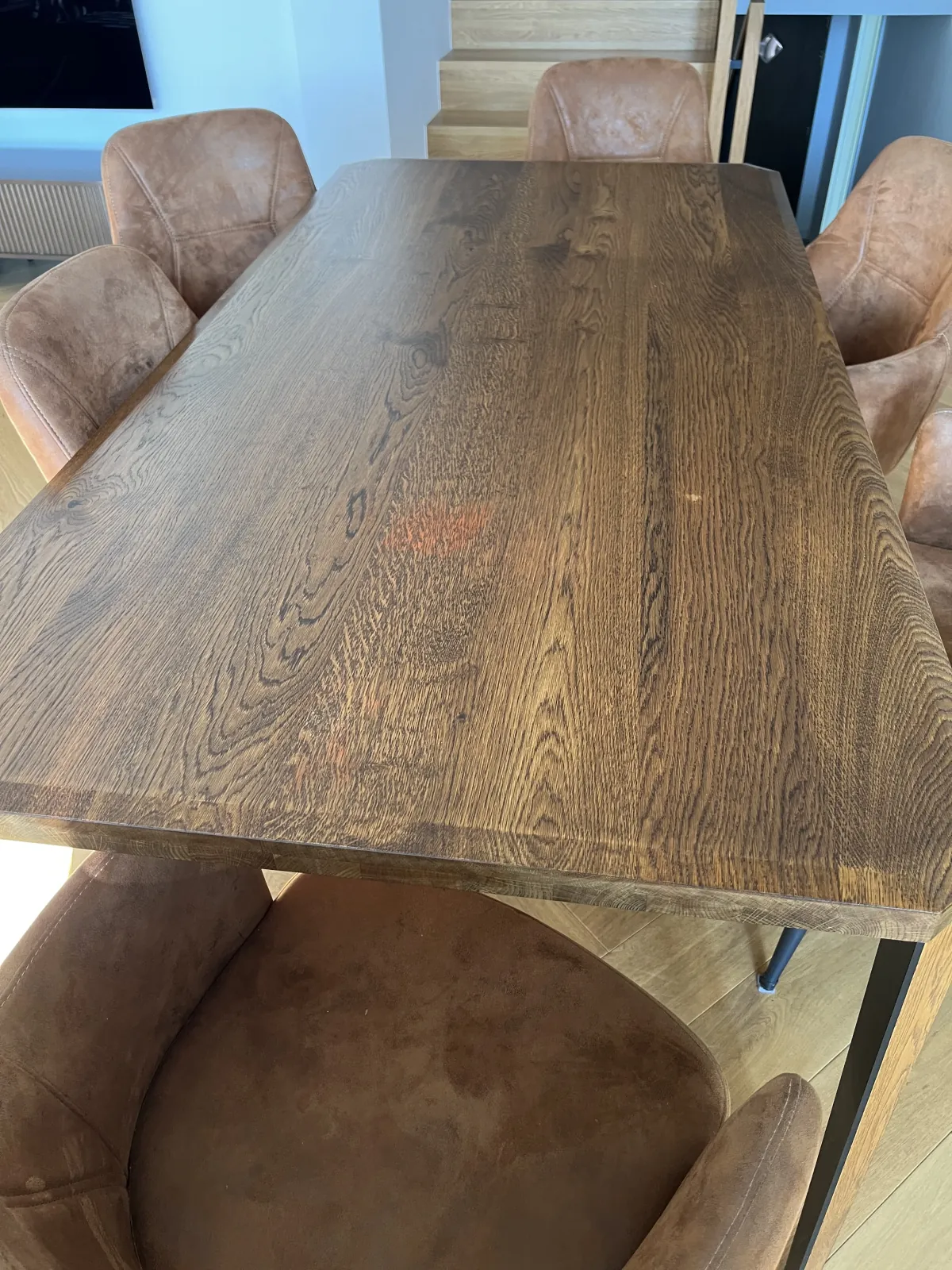
So I needed a woodworker. The obvious first call was the person who made the table. They know the wood, they know whether the top is oiled or lacquered (I do not 😬), and they know how to fix it without making it worse. For them it is easy, well-paid work on a piece they already understand.
The table is a few years old. I could not remember where I bought it. No invoice in the drawer, no name under the top, nothing in my email that searched cleanly. So I did what everyone does. I typed "furniture repair near me" into Google and started calling strangers.
The person who built my table lost that job without ever knowing it existed.
Why does a past customer end up searching for someone else?
Because nothing connects the product to the person who made or serviced it. Those physical things have a lifecycle: they get built or installed, then used for years, then they need a repair, a service, a refinish, an inspection. The second half of that cycle is where a lot of a service business's easy work lives, and it is exactly where the link to the original pro goes missing.
The customer is not disloyal. They just do not remember your name three years later. Your business card went in a drawer that got cleared out. Your number is somewhere in a phone they replaced. The one place they will look, at the moment they need you, is the thing that needs fixing.
Some trades worked this out decades ago:
Oil change shops put a sticker on your windshield with the next service date.
HVAC techs leave a sticker on the furnace with the company name and phone number.
Piano tuners often write their details inside the lid.
All three put the contact on the object, because the object is where the need shows up. A QR code sticker is the same idea with one step less: the customer does not copy a number, they point a camera and land on the page where they can book you.
What should a QR code sticker on a finished job open?
The page where the customer can ask you for the next job. Not your homepage, not your Instagram. A homepage makes them hunt for the contact button, and every extra tap is a place to give up.
Good destinations, depending on how you take work:
Your online booking page (Booksy, Setmore, Square Appointments, Calendly or your own site's scheduler). Best for anything with a standard visit, like a furnace tune-up or an appliance check.
A short request form on your website. Best for repairs that need a description or a photo first, like my table.
A page with your phone number at the top, if you take all your work by phone. QR codes open web pages, so the page carries the number and a phone shows it as tap-to-call.
If you take appointments online, Scanlo's booking page QR code is built for exactly this, and there is a dedicated version for Calendly.
Why does the code need to be editable?
The sticker will probably outlive your current setup. A sticker on a furnace or under a tabletop can stay there for ten years. In ten years you will probably change booking software at least once, maybe your website, maybe your phone number.
A plain QR code has the destination baked into its pattern. Make one straight from your Booksy link, switch to another system in 2028, and every sticker you ever applied now opens a dead page. Those are the customers who were about to call you.
A dynamic code points to a short link that you control, so you change the destination in a dashboard and every sticker already out there follows. With Scanlo, a printed code keeps redirecting forever, on any plan, including the free one and including if you stop paying. That matters more for a sticker on a customer's furnace than for almost anything else you will ever print, because you cannot go back and replace it.
Where should you put the sticker?
Somewhere the customer will look when the thing breaks, and somewhere that does not spoil what you made. Some examples by trade:
Job | Where the sticker goes |
|---|---|
Furnace, boiler, water heater | Front panel or the side facing the room, where the old service stickers usually are |
Espresso machine, appliance | Back or side, near the water tank or the service panel |
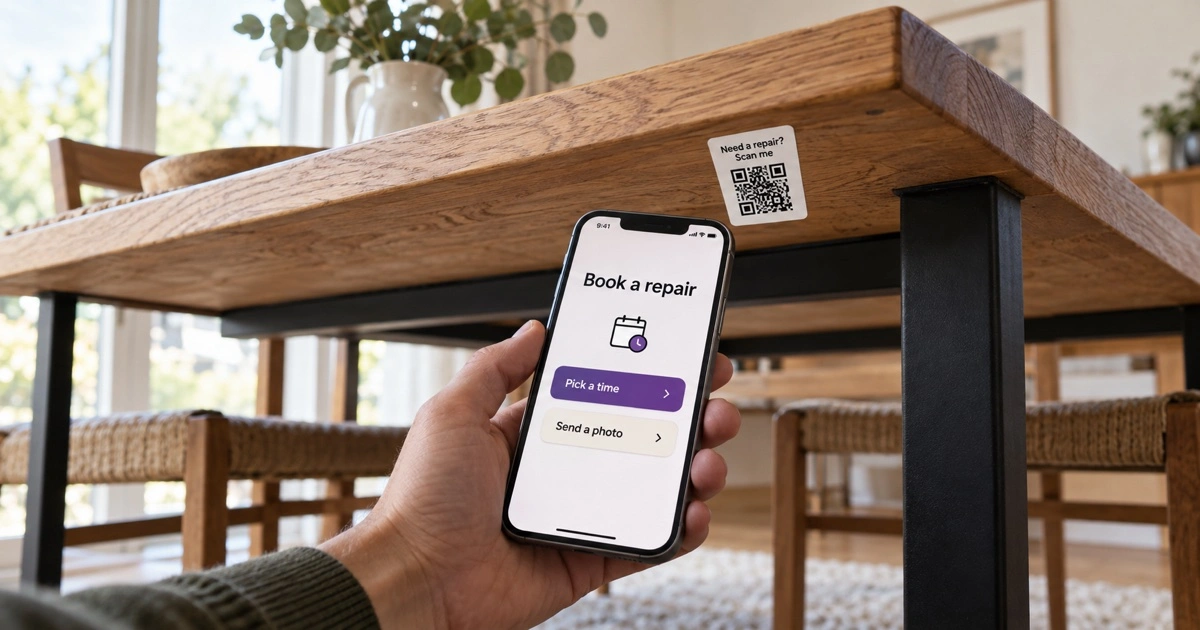
Furniture | Underside of the top or inside a drawer, never on a visible surface |
Bike | Under the top tube or on the chainstay |
Windows, doors, garage door opener | On the frame edge or the opener housing |
Electrical panel, water softener | Inside the panel door or on the unit itself |
For furniture and anything else where a sticker on display would be wrong, the hidden spot only works if the customer knows it is there. Say it at handover: "If anything ever happens to it, there is a code under the top that goes straight to me." That sentence is the whole system. A sticker nobody knows about is just a sticker.
Handover is also the moment the customer is happiest with you, which makes it the best time to ask for a review. We covered that timing in when to ask a customer for a review.
What size should a QR code sticker be?
At least 1 inch (2.5 cm) wide, and 1 to 1.5 inches covers almost every job sticker. People scan these from a few inches away, standing right next to the thing, so you do not need a big code. You need a clean one:
Dark code on a light background, with a clear margin around it.
Vinyl or laminated stickers for anything warm, wet or handled. Plain paper fades and peels near a furnace or a sink.
Matte rather than glossy if the spot is under a bright light, since glare blinds phone cameras.
Before you apply the first one, scan a test sticker with a phone camera at arm's length in the real spot. It takes ten seconds and catches the rare sticker that will not read.
How do you make QR code stickers for your business?
Create the code for the page from the section above, with a dynamic code so you can change the destination later.
Download it as SVG or high-resolution PNG and print it on sticker sheets, or skip the printer entirely.
No printer? In the Scanlo dashboard, the download tab has Order prints. Pick the sticker, and Zazzle prints a sheet of 20 with your code and ships it. Same tracked code, so you can still change where it points.
Keep a sheet in the van or the toolbox, so applying one becomes the last step of every job, like taking the before-and-after photo.
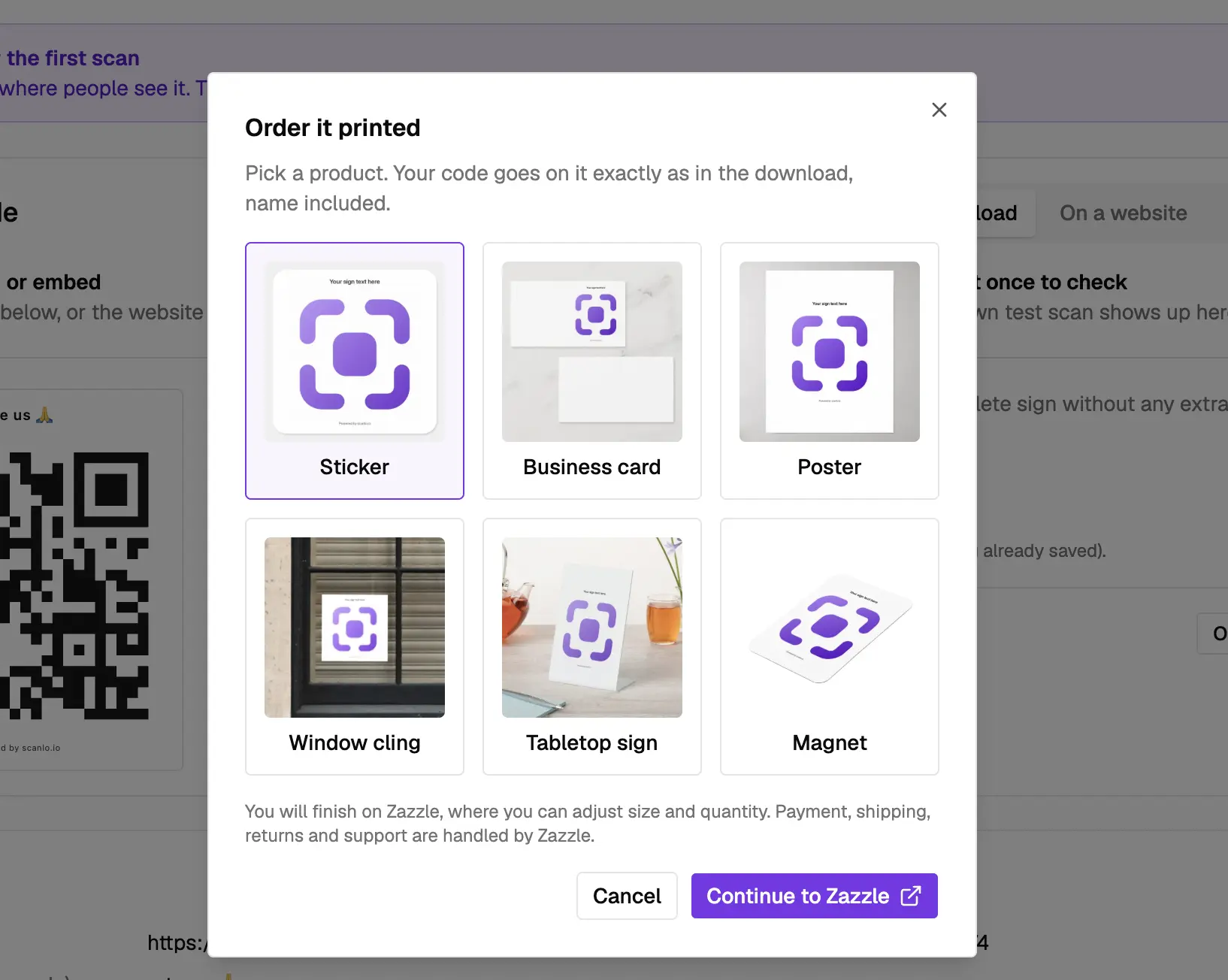
Twenty stickers is twenty finished jobs that can find their way back to you.
Can you track how many customers come back from the sticker?
Yes, you can count the scans. Every scan of a Scanlo code is logged in your dashboard by day, so you can see whether the stickers on past jobs are actually bringing people back, months or years after you left.
What you cannot see is who scanned. Scans are anonymous by design: no cookies, no IP addresses stored, nothing that identifies the customer. The customer tells you who they are when they book or fill in the form, which is where you want that conversation anyway.
If you want to compare channels, use one code for job stickers and a different one for, say, your van door or your business card. Then you know which placement brings real work. We go deeper on one code per placement in multiple QR codes on one sign.
What about jobs that need a reminder, not just a sticker?
The sticker waits for the customer to need you. That is perfect for repairs, which nobody can predict, like paint on a table. Some work runs on a calendar instead: an annual furnace tune-up, re-oiling a hand-finished tabletop, descaling an espresso machine, a yearly bike service. For those, the customer will not notice anything is wrong until it is.
That is where a short text on the anniversary of the job helps: "It has been a year since we serviced your furnace, want to book this year's check?" with a link to book. Remindlo, our sister product, does exactly this with customer reactivation texts: you set how long after the last visit a customer should hear from you, and the message sends itself.
The two work together. The text reaches the customer on your schedule. The sticker is there on theirs.
Frequently Asked Questions
Where should I put a QR code sticker on a job I finished?
On the object itself, in the spot the customer will look when it needs attention: the front panel of a furnace, the back of an appliance, the underside of a tabletop. If the spot is hidden, tell the customer at handover that the sticker is there.
What size should a QR code sticker be?
At least 1 inch (2.5 cm) wide. Job stickers are scanned from a few inches away, so 1 to 1.5 inches is enough. Contrast and a clear margin around the code matter more than size.
Will a QR code sticker still work in 10 years?
The code will, if it is a dynamic code from a service that keeps redirecting. Scanlo codes keep working forever on any plan, even if you stop paying. The sticker itself needs to survive too, so use vinyl or laminated stickers for anything near heat, water or hands.
What happens to my stickers if I change my booking system or phone number?
With a dynamic code, nothing changes on the sticker. You update the destination in your dashboard and every sticker already applied opens the new page. With a static code made directly from your booking link, every sticker breaks.
Can I see which customer scanned my sticker?
No. You see how many scans happened and when, not who made them. Scanlo does not use cookies or store IP addresses. The customer identifies themselves when they book or send the form.
Is this the same idea as an oil change sticker?
Yes, the same idea, one step shorter. An oil change sticker tells the customer when to come back. A QR code sticker also takes them straight to the page where they book, so they do not have to look you up.
Bottom line
The easiest job you will ever win is the second one from a customer who already trusted you once. Today most of those jobs go to whoever ranks for "near me", because nothing on the furnace or the table says who did the work. A sticker fixes that for the cost of a sticker.
If I could have scanned a code under my table, I would have booked the person who made it in a minute.