
Stripe vs PayPal QR Code for Small-Business Payments
· Updated · Scanlo Team

Contents
- Stripe vs PayPal QR code: the short answer
- How a payment QR code actually works
- PayPal QR codes: strengths and trade-offs
- Stripe QR codes: strengths and trade-offs
- Side-by-side comparison
- Which should a small business choose?
- The part that matters whichever you choose: static vs trackable
- How to make a trackable QR for Stripe or PayPal
- Frequently Asked Questions
- Bottom line
Quick answer
For in-person QR payments, PayPal is the quicker choice if your customers already use it and you want a familiar checkout, while Stripe wins for clean card payments, invoicing, and selling online. Either way, the QR code is just a link to your payment page. Putting a trackable redirect in front of it lets you edit the destination and see which placement actually gets scanned. You can also consider a Payment Hub (e.g. from Scanlo) that merges multiple payment options and gives customers a choice.
If you want customers to pay by scanning a code, two names come up first: Stripe and PayPal. Both can turn a payment page into a QR code, both charge a fee per transaction, and both work in person and online. The right one depends less on the QR code itself and more on who your customers are and how they like to pay. This guide compares them on the things that actually matter for a small business, and covers the one decision that applies no matter which you pick.
Stripe vs PayPal QR code: the short answer
A QR code for either is the same idea: the code points to a payment page, the customer scans it, and they pay. The difference is the page they land on and what they need to complete the payment.
PayPal is best when your customers already have PayPal or expect a familiar, consumer-friendly checkout. It is quick to set up with a PayPal.Me link and strong for casual, peer-to-peer style payments and donations.
Stripe is best when you want a clean card checkout that does not require the customer to have any account, plus better tools for invoicing, subscriptions, and online sales.
Neither is "the best QR code." They are two payment experiences, and the QR is just the doorway.
How a payment QR code actually works
This is worth being clear about, because it removes most of the confusion. A QR code does not process money. It stores a link. When someone scans it, their phone opens that link, and the payment happens on whatever page the link points to.
So a "PayPal QR code" is a QR that points at your PayPal payment link, and a "Stripe QR code" is a QR that points at a Stripe payment page. The processor handles the money. The QR just gets the customer there. That also means you can change which processor you use later, as long as the QR points at something you control rather than a fixed link.
PayPal QR codes: strengths and trade-offs
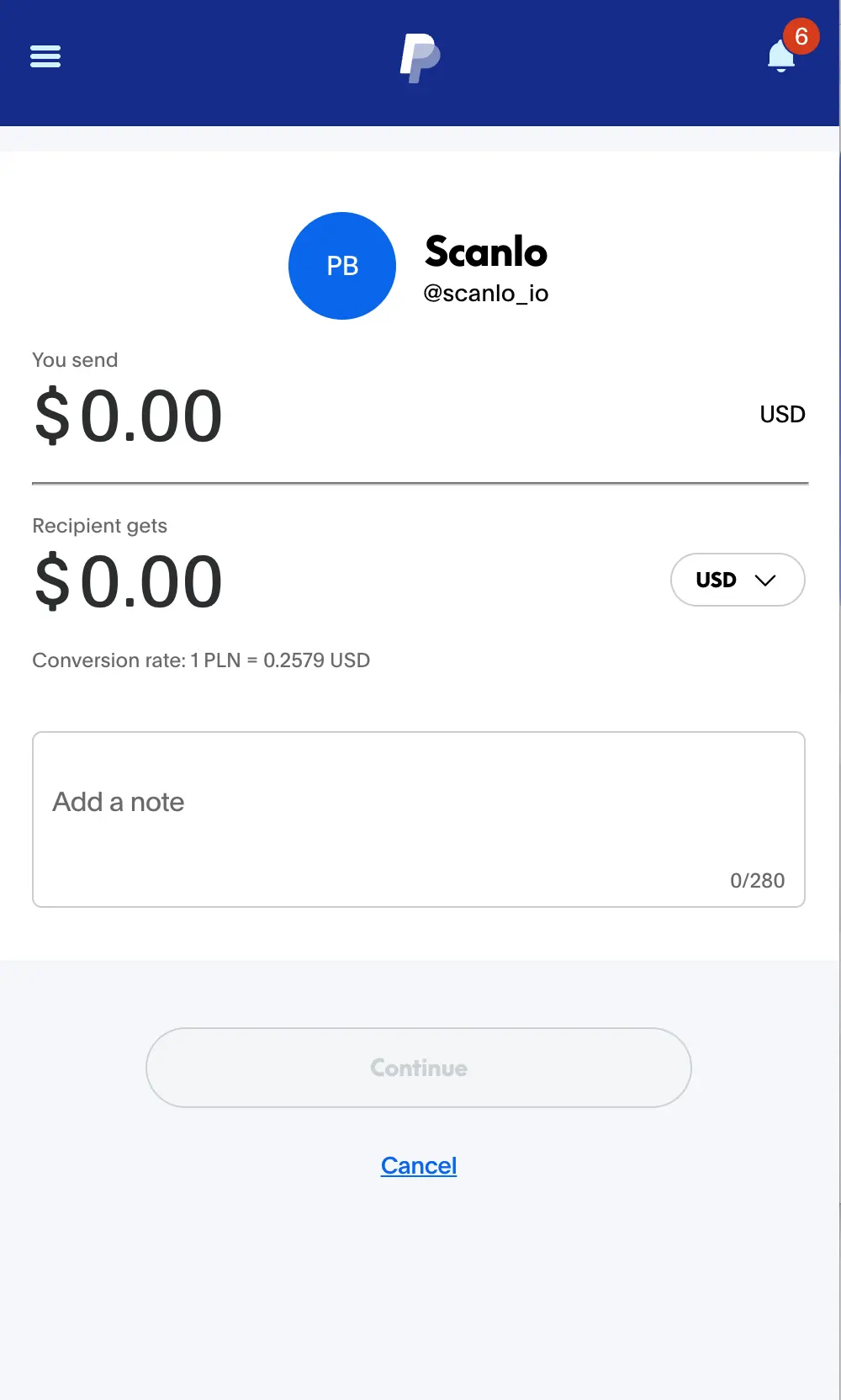
PayPal's advantage is recognition. A lot of customers already have an account and trust the checkout, which lowers hesitation at the moment of payment. A PayPal.Me link is fast to create and easy to turn into a QR, and PayPal's own app can generate a code for in-person payments directly.
Strong for: casual and in-person payments, donations, peer-to-peer style transfers, and customers who prefer paying without typing card details.
Trade-offs: the experience leans toward people who already use PayPal, the native code is static with no scan analytics, and standard goods-and-services fees apply, so confirm the current rate for your market. If you want to know how much PayPal can and cannot tell you, see our guide on whether you can track PayPal QR code payments.
Here's how it looks in practice:
Stripe QR codes: strengths and trade-offs
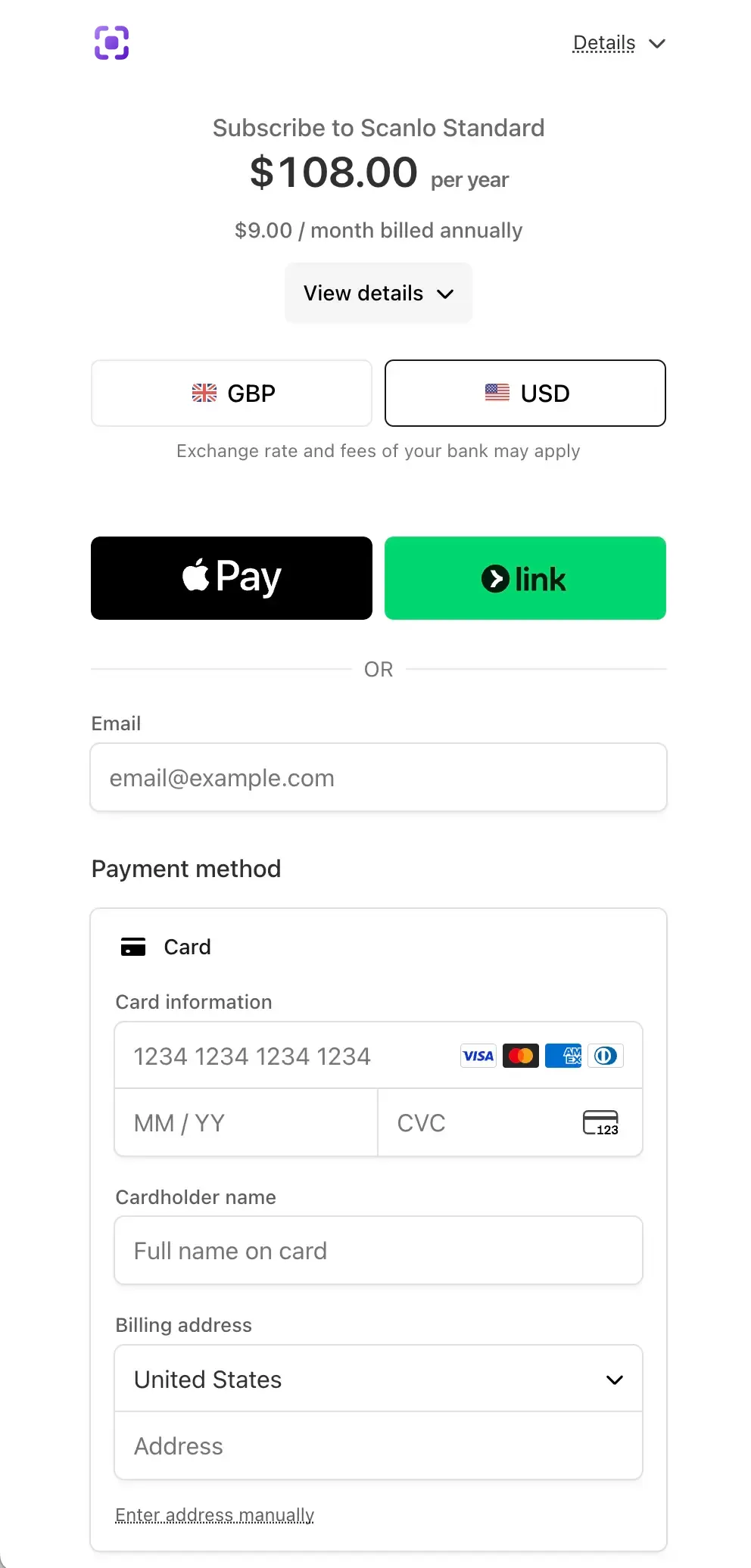
Stripe's advantage is a clean, modern card checkout that works without the customer needing any account. With Stripe Payment Links you can create a hosted payment page in a few clicks, point a QR at it, and accept cards immediately. It also scales naturally into invoicing, subscriptions, and a full online store. What's important: it supports Apple Pay out of the box.
Strong for: professional card payments, invoicing, recurring payments, and businesses that sell online as well as in person.
Trade-offs: it is more processor than wallet, so initial setup asks a bit more of you, and the checkout is card-first rather than a familiar consumer wallet. Stripe charges a per-transaction fee, so check the current rate. For most service businesses, the polish is worth the small extra setup.
Here's how it looks in practice:
Side-by-side comparison
PayPal QR code | Stripe QR code | |
|---|---|---|
Best for | Casual, in-person, donations | Card checkout, invoicing, online |
Customer needs an account | Familiar to PayPal users | No, pays by card or Apple Pay/G Pay |
Setup effort | Very low (PayPal.Me) | Low (Stripe Payment Links) |
Checkout feel | Consumer wallet | Professional card page |
Recurring / subscriptions | Limited | Strong |
Native scan analytics | No | No |
Fees | Standard PayPal fee (verify) | Per-transaction fee (verify) |
Both share one gap: neither gives you scan-level analytics from static code. That is the part the next section solves.
Which should a small business choose?
Match the processor to your customers, not to a feature checklist:
Choose PayPal if your customers already use it, you take a lot of casual or in-person payments, you collect donations, or you want the lowest-effort setup.
Choose Stripe if you want a professional card checkout with no account required, you send invoices, you charge recurring fees, or you also sell online.
Use either, and stay flexible, if you are not sure yet. Pick one to start, but make the QR code itself something you can repoint later, so testing the other does not mean reprinting everything.
That last point is the one most comparisons miss.
If your customers also ask to pay by Venmo, Zelle or Cash App, the question changes from which processor to how many: see should your small business take Venmo, Zelle and Cash App?
The part that matters whichever you choose: static vs trackable
Here is the trap. If you generate a static QR code, from PayPal, from Stripe, or from a free generator, the payment link is baked into the printed image. Change your PayPal handle, switch from PayPal to Stripe, or run a seasonal link, and every printed code is dead. You also never learn how many people scanned it or where.
Easiest example - put QR codes on the restaurant tables and the counter. With one static code everywhere, you'll never know how often they are being scanned and which seat is the best when it comes to guests' payment conversion. Such knowledge could lead you, e.g., to rearranging things at your place to put the best-paying seats in the best positions.
A dynamic, trackable QR code solves both. It points at a redirect you control, so you can change the destination at any time, even swap processors, without reprinting. And because every scan passes through the redirect, you can count scans and compare placements.
This is where a tool like Scanlo fits, and it is deliberately processor-agnostic. You can make a trackable PayPal QR code or a trackable Stripe payment QR code, and if you decide to switch from one to the other later, you just update the link and keep the same printed code.
Additionally, in 2026, people simply use different apps; there's no silver bullet here that wins everything. You should be ready to offer as many payment methods as possible to increase your chances of generating revenue. It could mean that you'll put multiple QR codes for PayPal, Stripe, or even Venmo and Cash App. Then, you need a clean way to compare them side-by-side in a single system. Scanlo gives you that option.
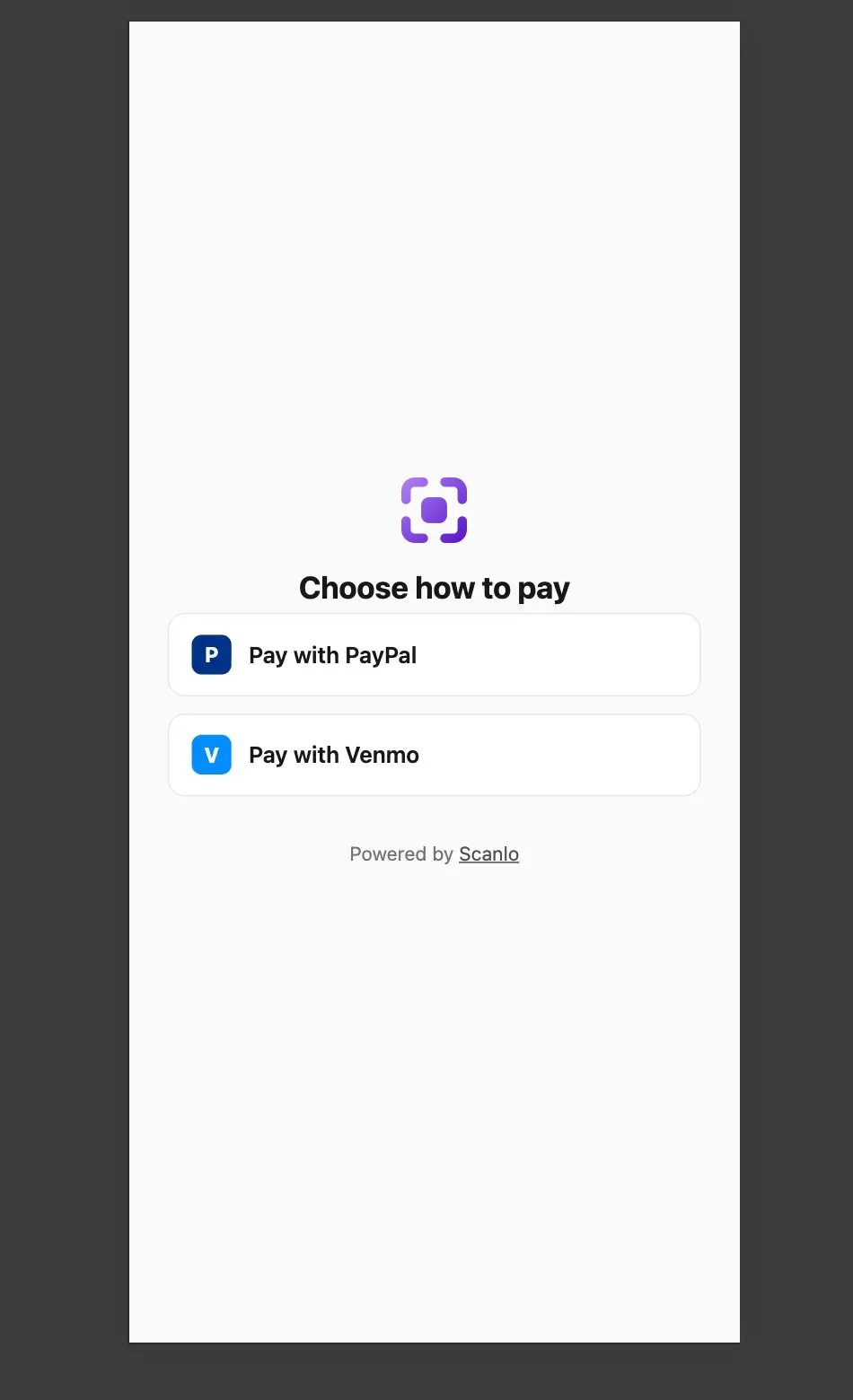
There's another question you should answer yourself - how "elegant" you want to be with those QR codes. Do you prefer having 3-4 stickers for each payment method, or is it better to have just one and all payment methods available under that one QR code. If the answer is one - you should check out the Payment QR Hub we recently introduced. It's an easy way to consolidate all payment method links into a single mobile-friendly page. Here's how it looks in practice:
How to make a trackable QR for Stripe or PayPal
The setup is the same regardless of processor:
Create your payment link (a PayPal.Me link, or a Stripe Payment Link).
Create a free Scanlo account and paste it as the destination.
Download the QR code as a PNG, SVG or PDF and print it.
Add a second code for another placement, then compare the scans after a week.
Because the printed code points to a redirect rather than the raw payment link, you can change processors or links later without reprinting anything.
Frequently Asked Questions
Is Stripe or PayPal better for QR code payments?
It depends on your customers. PayPal is better for casual and in-person payments and for customers who already use it. Stripe is better for a professional card checkout that needs no account, plus invoicing and recurring payments. The QR code works the same way for both, since it only stores a link to your payment page.
Can I use the same QR code for Stripe and PayPal?
By default, not at the same time, because a QR code points to one link. But a dynamic, trackable QR code lets you change which link it points at, so you can switch from a PayPal page to a Stripe page later without reprinting the code. A static code cannot be changed once printed. That's why we introduced an aggregated, elegant page that displays all of your payment links in one mobile-friendly place. They support Stripe, PayPal, Venmo, and Cash App on one screen.
Do Stripe and PayPal track QR code scans?
No. Both show you completed payments, but neither logs scans, scan locations, or which placement was used. To track scans and compare placements, point the QR at a redirect tool that records each scan before forwarding to your Stripe or PayPal page.
Which has lower fees, Stripe or PayPal?
Fees change and vary by country and payment type, so check the current rates on each provider's site before deciding. For most small businesses, the choice comes down to the customer experience and the tools around payments, not a small fee difference.
Do I need a website to use a Stripe or PayPal QR code?
No. A PayPal.Me link and a Stripe Payment Link are both hosted pages you can use without your own website. You point a QR code at the link, print it, and start accepting payments in person.
Bottom line
Pick the processor that fits how your customers like to pay: PayPal for familiar, casual, in-person payments, Stripe for a clean card checkout, invoicing, and online sales. Then make the QR code itself trackable and editable, so your choice is never locked into a printout. Create a trackable PayPal QR Code or Stripe payment QR code with Scanlo and see which placement actually works.